
Change notice facility to up-itaration as well as revise
Currently only one option to automatically create resulting objects is available when change a notice is being created.
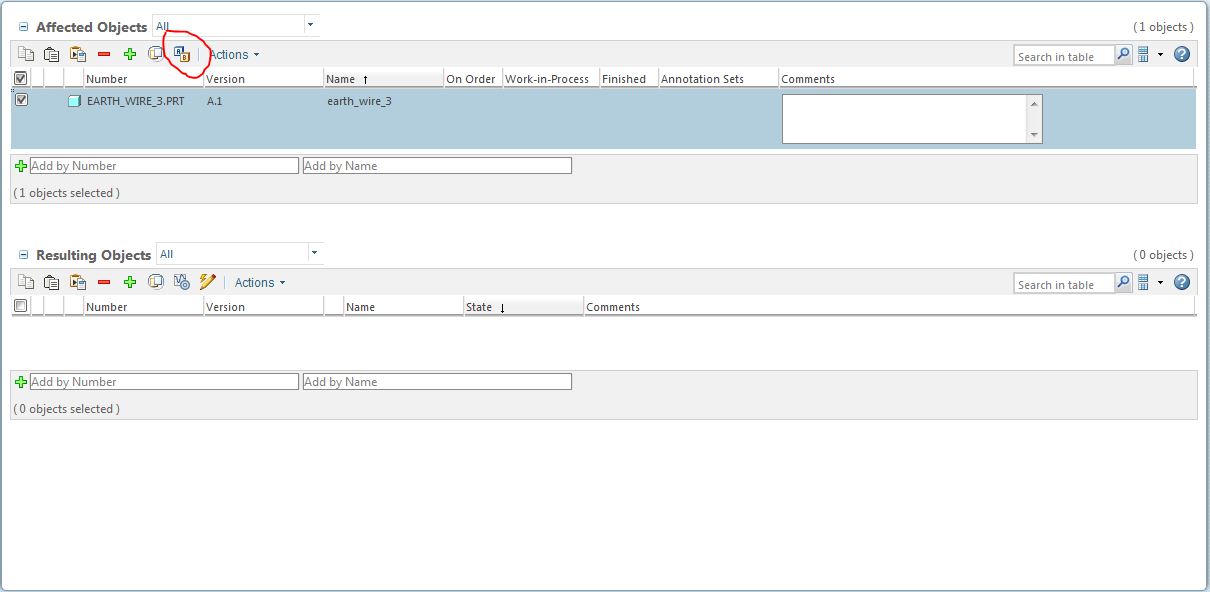
This is the revise button.
This creates a new revision and in our workflow sets the resulting newly revised object back to In "Work status" from its "Released" status which means the previous revision is still the Released revision until the change has been completed and then the newly revised object gets upgraded to "Released"
However if I want to create a change that will have a minor effect on an object such as a spelling mistake on a drawing or an incorrect mating in an assembly etc. it does not warrant a full revision it makes the transition by iteration for example V 1.1 to V 1.2 instead of V 1.1 to V 2.1.
This is not currently possible. As there is no way to up-iterate then no resulting object can be created. If the Object in question is at"Released" then the change is happening to a "Released" Object (in our system no one can check in a modified released part). It becomes impossible to make an iteration change on a "Released" part without the intervention of a Library Manager or Administrator to set the permissions for the assignee to modify and check in a "Released" part. This is not good.
I would like to see an additional button alongside the Revise button that says "iteration". selecting this will create a new iteration of the object,(exactly like the way the "Revise" button works) and set it to "In Work" status such that it can be modified and checked in.
the Change process can then take it through to "Released" exactly the same way a Revised object is processed.
This would be an incredibly useful feature.