Question
How to set up a daily/weekly digest for notifications
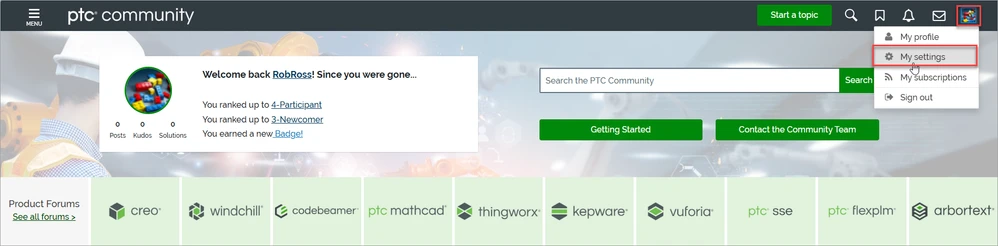
1. Click on the avatar and choose “My settings” on the list
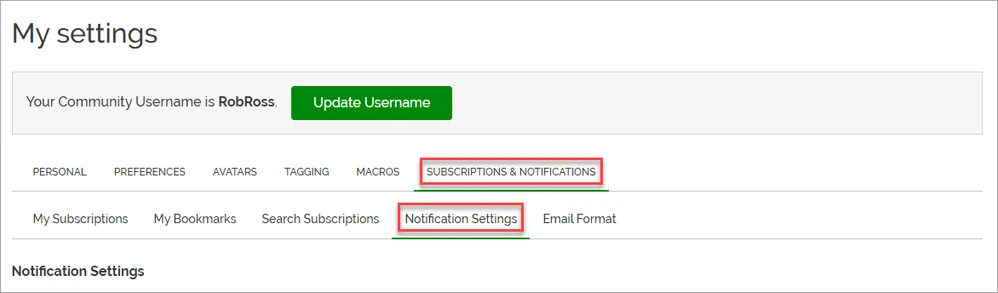
2. Click on “SUBSCRIPTIONS & NOTIFICATIONS”, then click on “Notification Settings” below.
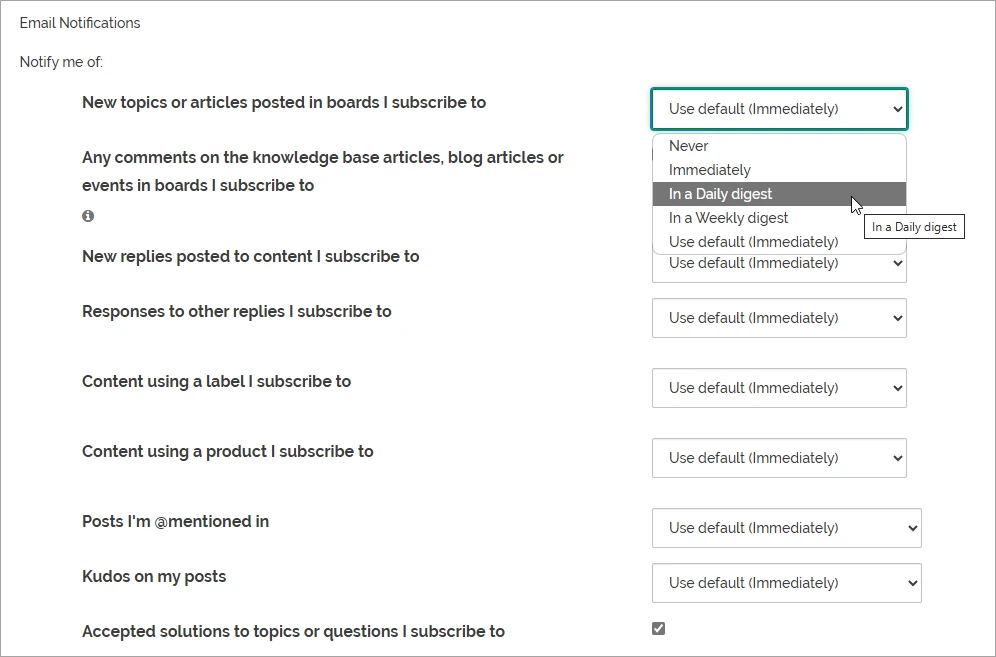
3. Scroll down and click on “Use default (immediately)” next to the item you want to set up the daily/weekly digest for notifications. Choose the frequency of notifications you want on the list.
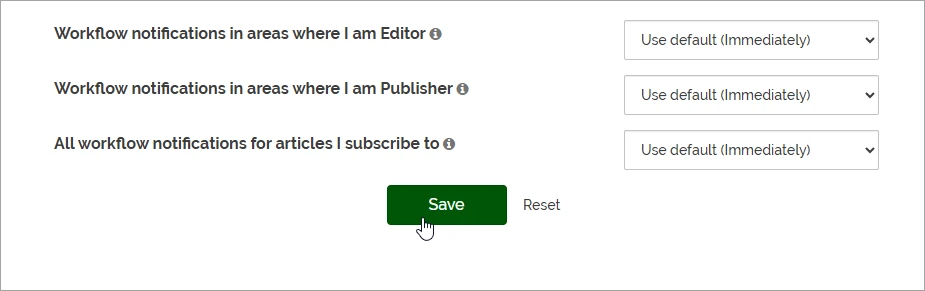
4. Scroll down and click on “Save” to save the changes. If you wish to reset the changes, click on “Reset”.