
Feb 5, 2021 1:07 PM UTC
Solved

Automatic image resizing

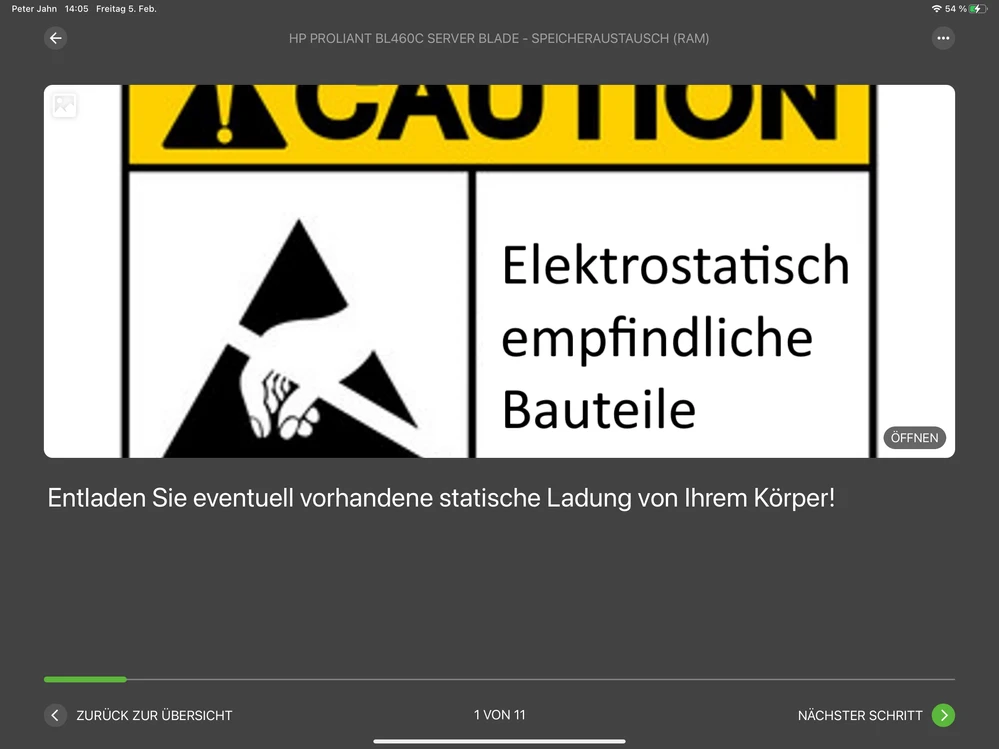
It would be very useful if Vuforia Editor would resize uploaded image files (jpg, png ...) to be correctly display in the respective UIs on different screen sizes. Currently it is nearly impossible to achieve that images are shown without being cut off.


Example screenshot taken from an iPad Pro 12.9 inch in Vuforia View.20210205_130533151_iOS.png


tmccombieAnswer
May 2, 2022 7:57 PM UTC

hi @pjahn Are you still experiencing this issue in Vantage? If so, can you share a screenshot of the issue there? Or is this issue in View on a HoloLens/Realwear device? 

3 replies

pjahnAuthor
Apr 6, 2022 7:43 AM UTC

It is regrettable that there is no progress on this point.

In any case, it would be useful to expand the documentation for Expert Capture and Instruct with recommendations for the resolution of image data for the steps and the title image.

tmccombieAnswer
May 2, 2022 7:57 PM UTC

hi @pjahn Are you still experiencing this issue in Vantage? If so, can you share a screenshot of the issue there? Or is this issue in View on a HoloLens/Realwear device? 

pjahnAuthor
May 5, 2022 3:06 PM UTC

I can not reproduce the issue in Vantage anymore. The screenshot above was taken on an iPad Pro.