
Feb 6, 2018 9:57 AM UTC
Question

How to change "Selected Row(s)" of InfoTable by code

Hi,

I have an InfoTable (called from GetProperties()-service) with only one row. Now I will bind the properties of this InfoTable to Textbox's on my mashup. Problem: I can only bind the properties of the "Selected Row(s)" to the mashup elements.
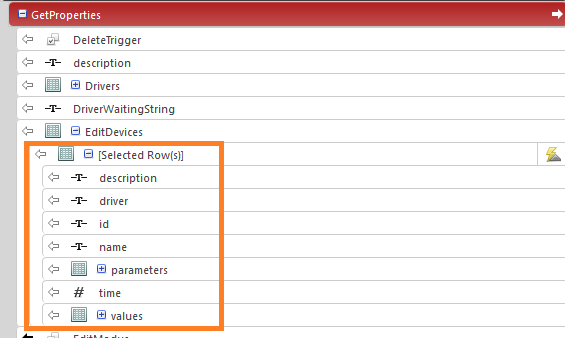
So my idea, I set the "Selected Row(s)" to the first row, but how? Have anyone an idea how to set the "Selected Row(s)" via service or so?

3 replies

Feb 7, 2018 8:06 AM UTC

Hello, you could activate "AutoSelectFirstRow" of the InfoTable.

drichterAuthor
Feb 7, 2018 10:18 AM UTC

I can only set "AutoSelectFirstRow" in the list widget. I will bind the data to a textbox.

Nov 27, 2018 9:13 PM UTC

Hi @drichter.


If you found the answer to your question, please post it here or mark one of the existing responses (even if it's yours) as the Accepted Solution.  This will help others who may have the same question.


Regards.


--Sharon