May 29, 2020 2:56 PM UTC
Solved

Enable gridlines in label charts

Hello everyone,


How do I enable gridlines on the x and y axes? Am I not able to enable this?
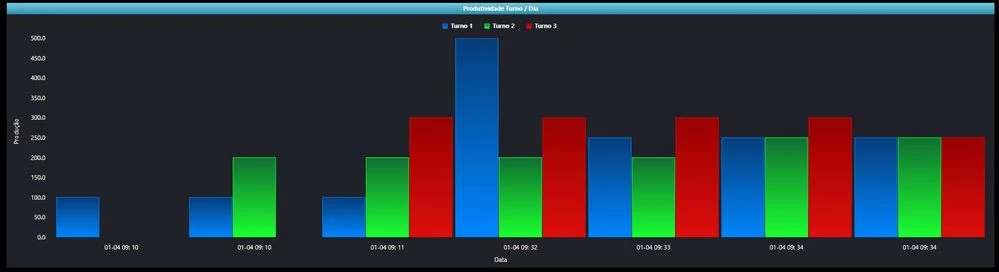
chart.JPG

slangleyAnswer
Jun 3, 2020 3:13 PM UTC

Hi @leokeinsfeld.


Which version of ThingWorx are you running?  Which chart did you use for creating the chart from your image?


Under 8.5.5, we do see gridlines for the Y axis on the label chart.  There is an open issue for the X axis.  At this point, we don't have a target date for the fix.


However, if you download and import the Custom Chart Widget extension from the Marketplace, it should resolve your issue.  This widget includes a bar chart widget that has hard-coded grid lines.


Regards.


--Sharon

3 replies

slangleyAnswer
Jun 3, 2020 3:13 PM UTC

Hi @leokeinsfeld.


Which version of ThingWorx are you running?  Which chart did you use for creating the chart from your image?


Under 8.5.5, we do see gridlines for the Y axis on the label chart.  There is an open issue for the X axis.  At this point, we don't have a target date for the fix.


However, if you download and import the Custom Chart Widget extension from the Marketplace, it should resolve your issue.  This widget includes a bar chart widget that has hard-coded grid lines.


Regards.


--Sharon

Jul 1, 2020 6:11 PM UTC

Hi @slangley 


Thank you for answer.


I used the another version and it worked well.


Regards,

Leonardo
