Jan 22, 2022 6:26 AM UTC
Solved

Apply Custom CSS on confirmation function

Hi,


I need to add background color to the buttons on the confirmation box.
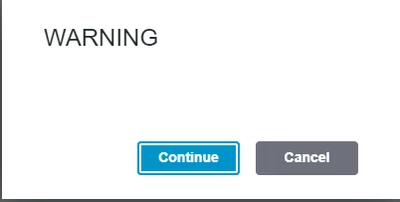
MG_10145653_1-1642832775088.png


TonyZhangAnswer
Jan 27, 2022 5:58 AM UTC

Hi @MG_2602,


Please try below custom CSS code to see if it works.


ptcs-confirmation-dialog::part(primary-button) {
    background-color: red;
}
ptcs-confirmation-dialog::part(cancel-button) {
    background-color: grey;
}


You can also add :hover, :focus at the end of the selector to change the background color of the buttons at different states

2 replies

TonyZhangAnswer
Jan 27, 2022 5:58 AM UTC

Hi @MG_2602,


Please try below custom CSS code to see if it works.


ptcs-confirmation-dialog::part(primary-button) {
    background-color: red;
}
ptcs-confirmation-dialog::part(cancel-button) {
    background-color: grey;
}


You can also add :hover, :focus at the end of the selector to change the background color of the buttons at different states
