
Mar 12, 2018 8:04 AM UTC
Solved

Analytics Gateway list comes empty in Analytics Builder

Hi All,

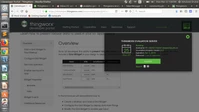
I started a 30-day trial for the Thingworx Evaluation Server with following details TA_trial details.png.
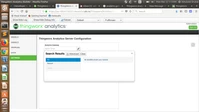
I started following the Predictive Model guide to create my own analytics. But when configuring the analytics builder via setting, the Analytics gateway list comes empty no matter what I doEmpty gateway listEmpty gateway list.
On searching the community, I found very few results on this issue but the only one I found said to ensure these things:

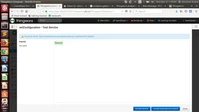
1) Configuration Service hasn't been run -> donedone
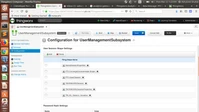
2) Session Variables haven't been added -> (I did delete and re-added it from this list. Deleting the entity entirely though produces the error "extension objects can't be deleted")(I did delete and re-added it from this list. Deleting the entity entirely though produces the error "extension objects can't be deleted")
3) The Application Key expiration-date hasn't been extended -> donedone.
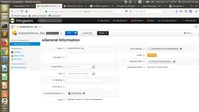
Also, there's no AnalyticsServer_Thing alsoTA_no_thing.png.
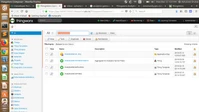
I don't know what else to do as I'm new to this field and I'm stuck at this point.

jebeckAnswer
Mar 12, 2018 4:21 PM UTC

Ashutosh,


It looks like the Analytics Server failed to install correctly when your server was created.  We deleted the server and reset your account.  Please provision a new server when you log back into the Developer Portal.  Let us know if you continue to have any issues.


Jeff

3 replies

Mar 12, 2018 9:11 AM UTC

@jebeck,  @jwyatt


Could you please have a look at this server, it seems the expected AnalyticsServer Things have not been created on that instance.


Thanks

Christophe


jebeckAnswer
Mar 12, 2018 4:21 PM UTC

Ashutosh,


It looks like the Analytics Server failed to install correctly when your server was created.  We deleted the server and reset your account.  Please provision a new server when you log back into the Developer Portal.  Let us know if you continue to have any issues.


Jeff

Mar 13, 2018 7:14 AM UTC

Thanks,

Things have started working now.