
Cabling Quick Reference Guide or... "The Cheat Sheet"
At Planet PTC Live 2012, I promised everyone a "cheat sheet". The purpose was to help those unfamiliar with Creo Cabling to navigate the application. After many hours of laboring over this unassuming front/back of a page, I think it's ready for Prime Time. Here's a quick peek (which is a little fuzzy). But don't worry, the full-sized PDF attached to this Blog features much better resolution!
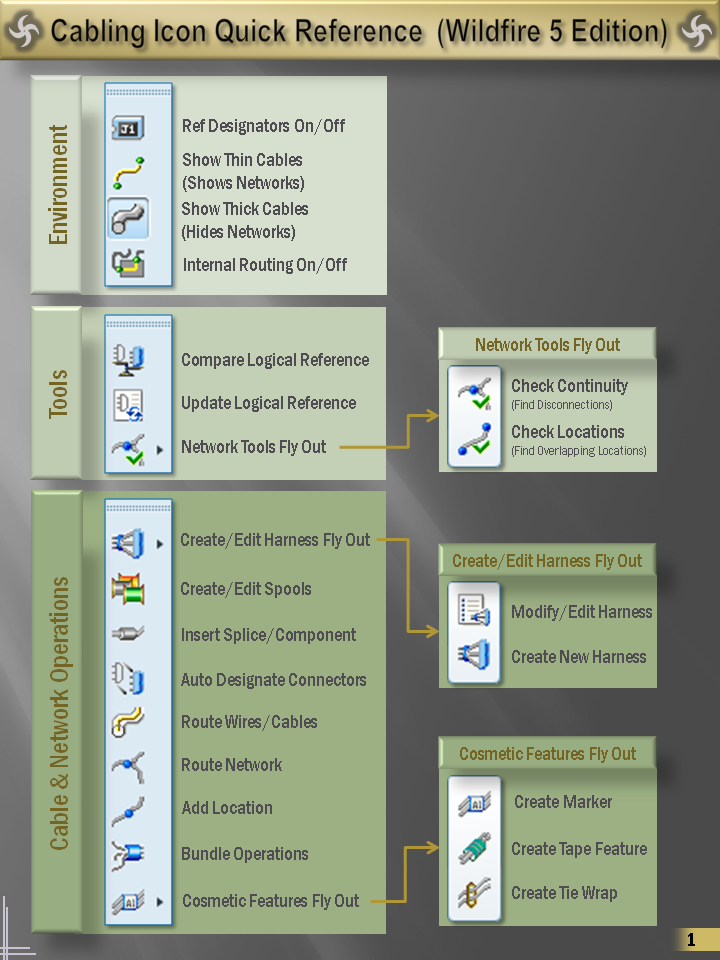
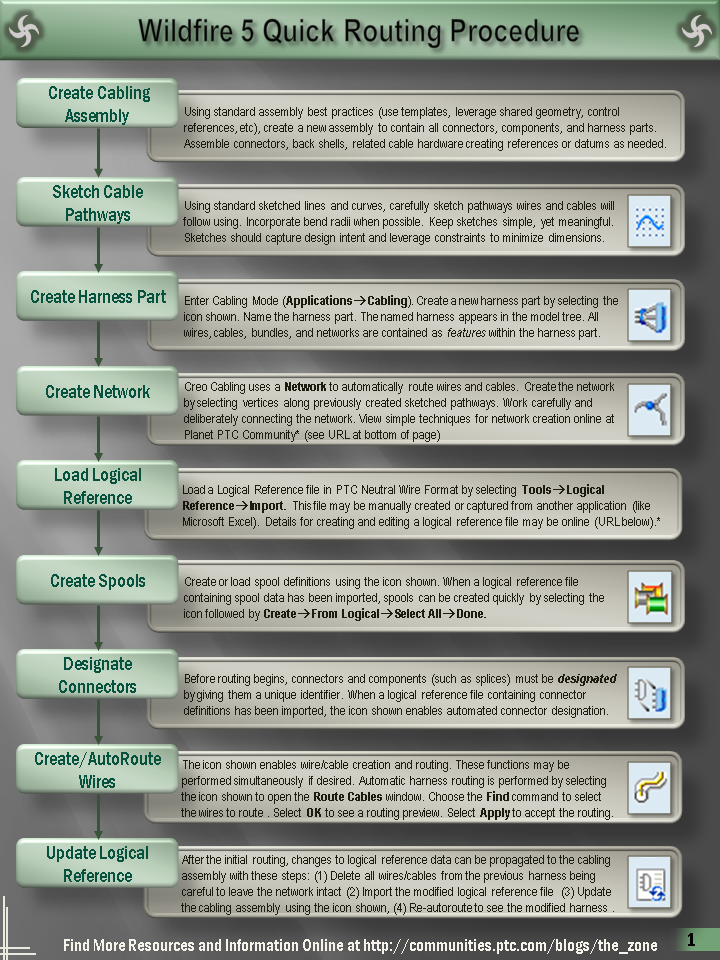
As you can see, one side of the sheet features a Cabling Icon Quick Reference for Creo Cabling. The other side features a Quick Routing Procedure I follow when creating harnesses using the "Ninja Cabling" techniques I presented in Orlando. This version of the cheat sheet was created especially for Wildfire 5. I plan to create additional sheets for Creo 1 & 2.
Over the coming weeks, I'll have additional content like this to post to the Blog so stay tuned! Eventually we'll move into deeper discussions of piping and cabling but for now, I want to post as much relevant, useful information as I can. Please share your feedback and ideas. The intent is to grow a strong online community devoted to cabling, piping, and routed systems topics.
I certainly can't grow a community all by myself... so please join in the discussion!!
-----
PS... If you don't see the PDF file attached to the bottom of the blog, click on the blog title "Cabling Reference Guide or the Cheat Sheet" above. You'll be taken to a new window with the same blog post but you'll see the PDF at the bottom, too!