
Jul 6, 2023 4:52 AM UTC
Solved

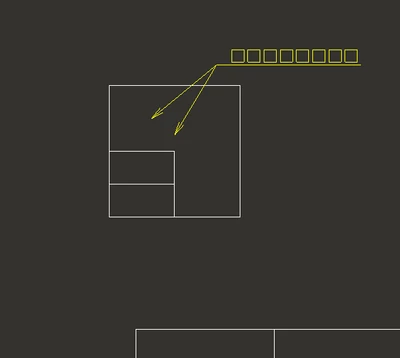
When I create a drawing, the lines that should not be visible behind the thin parts are displayed.

I am using Creo Parametric Release 4.0 and DatecodeF000

When I create a drawing, the lines that should not be visible behind the thin parts are displayed.


The leader line of drw0001.drw.1 is a line that is not originally displayed.

StephenWAnswer
Jul 6, 2023 10:52 AM UTC

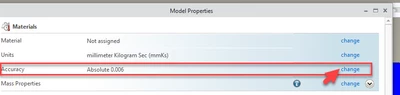
This is an accuracy issue. The parts are extremely thin compared to the overall size. I fixed it by changing accuracy from relative to absolute and also the value to the smallest I could set it, which seemed to be .006 absolute for each part and also the assembly. Accuracy is a funny thing and cause unexpected issues.


I don't remember but I think on creo 4, you  may have to enable absolute accuracy using the option enable_absolute_accuracy  yes
 

StephenW_1-1688640691461.png


StephenW_0-1688640585004.png


2 replies

StephenWAnswer
Jul 6, 2023 10:52 AM UTC

This is an accuracy issue. The parts are extremely thin compared to the overall size. I fixed it by changing accuracy from relative to absolute and also the value to the smallest I could set it, which seemed to be .006 absolute for each part and also the assembly. Accuracy is a funny thing and cause unexpected issues.


I don't remember but I think on creo 4, you  may have to enable absolute accuracy using the option enable_absolute_accuracy  yes
 

StephenW_1-1688640691461.png


StephenW_0-1688640585004.png


Jul 7, 2023 12:08 AM UTC

thank you.

Problem solved.