7 replies

Apr 23, 2025 6:52 AM UTC

@JerseyC wrote:

Hi Consti,

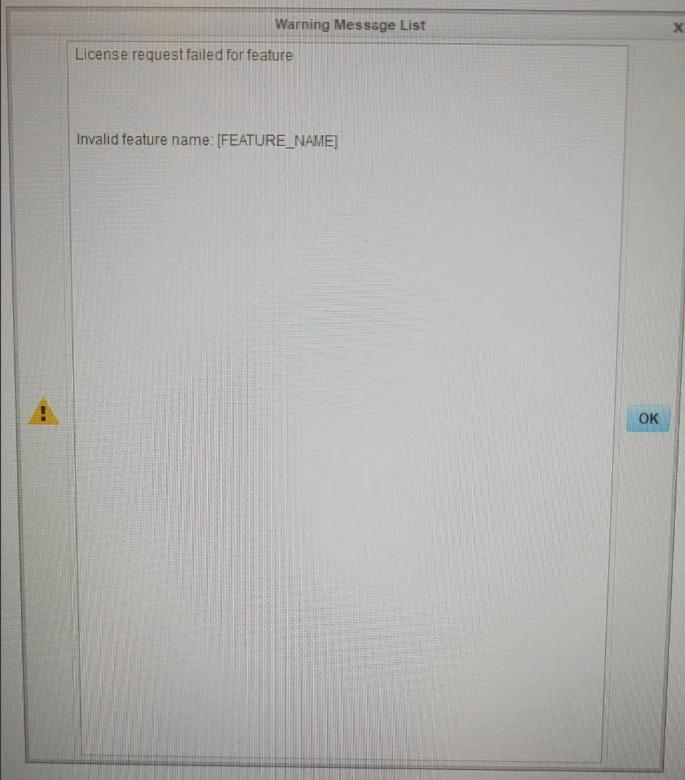
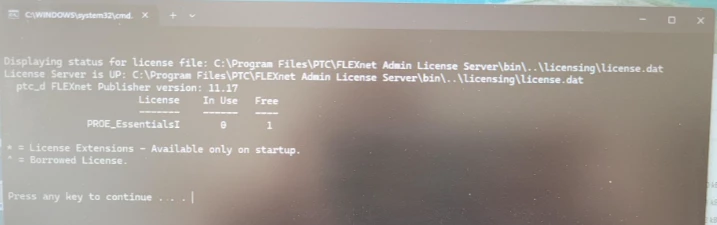
I am in the same situation. The installation works fine for PTC Creo Parametrics 3.0 M190, but flexnet fails. I tried PTC License Server 11.19.1.0 and PTC License Server 11.17.1.0.


 Snímek obrazovky 2025-04-23 083157.pngSnímek obrazovky 2025-04-23 083115.png

Any advise or solution?

Thanks


Hi,

you have to put the right license information into parametric.psf file located in Creo installation.

JerseyCAuthor
Apr 24, 2025 12:18 PM UTC

Dobrý den Martine,

I suppose, that I need change this 2 lines, but I need more sofisticated manual.


ptc193576_0-1745496994051.png


Thank you.


Apr 24, 2025 12:22 PM UTC

@JerseyC wrote:

Dobrý den Martine,

I suppose, that I need change this 2 lines, but I need more sofisticated manual.


ptc193576_0-1745496994051.png


Thank you.


Hi,

just remove square brackets to get:

ENV=PTC_D_LICENSE_FILE-=7788@Konstrukce03

ENV=CREOPMA_FEATURE_NAME=PROE_EssentialsI ()

May 5, 2025 12:04 PM UTC

Hi, did you find any solution ?
Thanks

May 6, 2025 11:45 AM UTC

@Dom_CHENTRE wrote:

Hi, did you find any solution ?
Thanks


Hi,

solution = correction of parametric.psf contents. See below:

ENV=PTC_D_LICENSE_FILE-=7788@Konstrukce03
ENV=CREOPMA_FEATURE_NAME=PROE_EssentialsI ()


JerseyCAuthor
May 6, 2025 1:04 PM UTC
ENV=PTC_D_LICENSE_FILE-=7788@name_of_your_computer
ENV=CREOPMA_FEATURE_NAME=PROE_EssentialsI ()
PROE_EssentialsI () - Means name of your package

Version of Flexnet 11.17.1.0 has to be installed separately