
Mar 20, 2024 2:19 PM UTC
Solved

2d_palette_path config not working

I set the 2d_palette_path in my config.pro to a location on Windchill (also tried desktop) and the path is not changing. The sketcher palette is still only showing the symbols located in the ptc directory\Common Files\text\sketcher_palette


this is an example of what i am putting in the config.pro

2d_palette_path C:\Users\username\Desktop


What am I missing? Why doesn't the path or symbols that are available changing as expected?
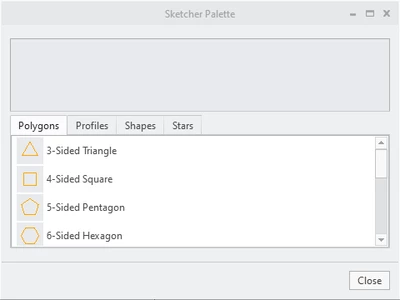
 

ZC_10909252_0-1710944090598.png


Mar 20, 2024 3:29 PM UTC

@ZC_10909252 wrote:

I am on Creo 9.0.3. Regardless I tried that option too with no success

The support page says to use  2d_palette_path


Hi,

please play attached video.

8 replies

Mar 20, 2024 2:22 PM UTC

Did you restart Creo after adding the path?

I think paths are loaded at the beginning and not updated during a session.

Mar 20, 2024 2:23 PM UTC

yes multiple times, The path is correct in the config options editor.

Mar 20, 2024 2:34 PM UTC

There are multiple options for palette, I don' know which one does what or if they are creo version specific.

For sketcher palette (which is what yours likes like) i'm on Creo 6.


sketcher_palette_path   is the option I use

Mar 20, 2024 2:44 PM UTC

I am on Creo 9.0.3. Regardless I tried that option too with no success

The support page says to use  2d_palette_path

Mar 20, 2024 3:29 PM UTC

@ZC_10909252 wrote:

I am on Creo 9.0.3. Regardless I tried that option too with no success

The support page says to use  2d_palette_path


Hi,

please play attached video.

Mar 20, 2024 3:15 PM UTC

Another possibility is you have more than one config and the setting it overwritten before it ever takes effect.

Or it is set in the config.sup and is not changeable.

You can see which configs are loaded with the drop down arrow and review each.

Also, make sure you are using a full path

I'm out of other ideas.

StephenW_0-1710947564680.png