Faster Modeling with Preselection Handles in Creo Elements/Direct Modeling 17.0
With Creo Elements/Direct Modeling 17.0, preselection handles have been added to make your work faster and more intuitive. By automatically offering the most popular command when you make a selection, Creo Elements/Direct Modeling 17.0 reduces the number of mouse clicks needed to execute a command.
Here’s what to expect:
A preselection handle is a 3D Copilot which allows you to perform the most common action on the preselected object. Just select an object, face, edge, and the handle appears. You just need to drag it with your mouse.
Some 3D and 2D handles:
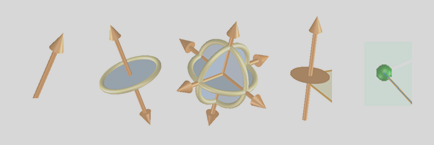
Here are just a few examples of preselection handles you’ll see:
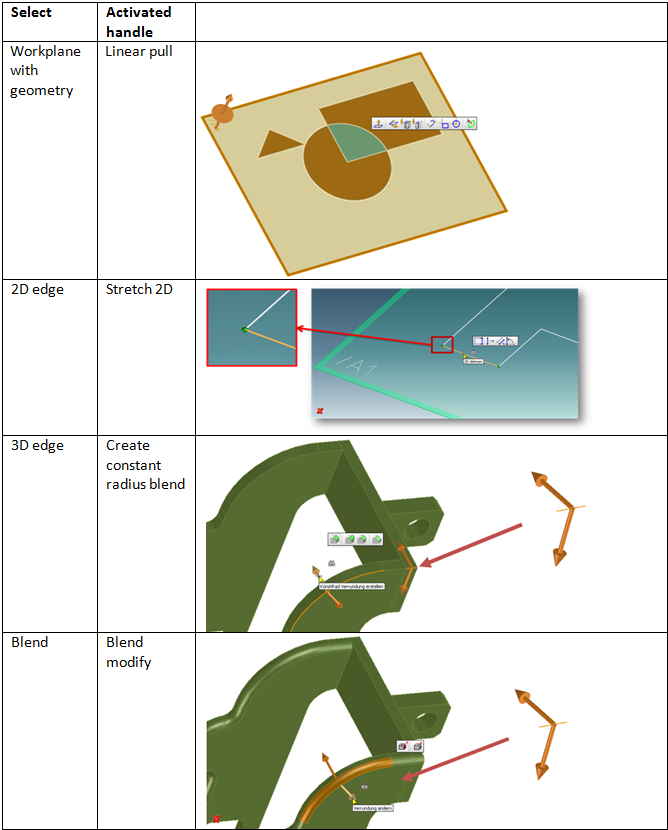
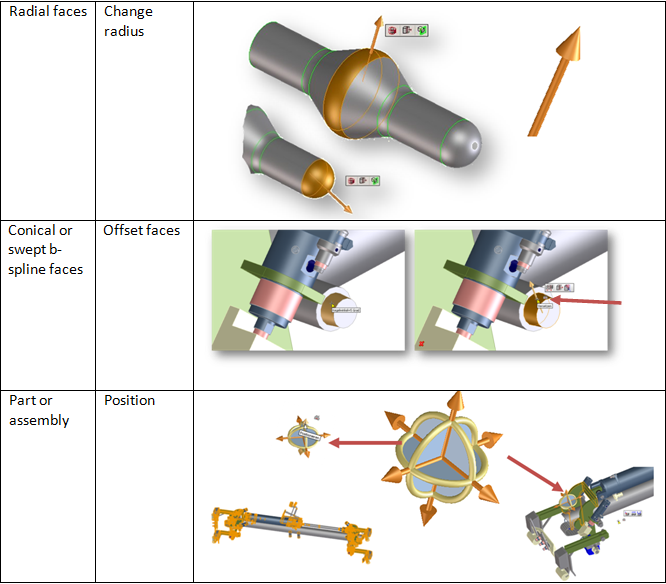
Options for preselection handles:
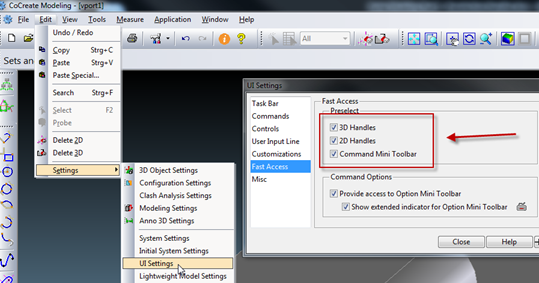
Preselection handles are enabled by default. You can disable them using Edit > Settings > UI Settings as shown in the figure below: