
Mar 1, 2018 10:39 PM UTC
Under Consideration

Provide "X" to manually close help bubbles

Please consider adding a way to manually close the help bubbles.  If the mouse happens to cross certain text these pop up and there is no way to close them.  Just adding an "X" to the top corner would be great.  Clicking other places on the screen or in other fields doesn't seem to make them disappear.  (Edge Browser).
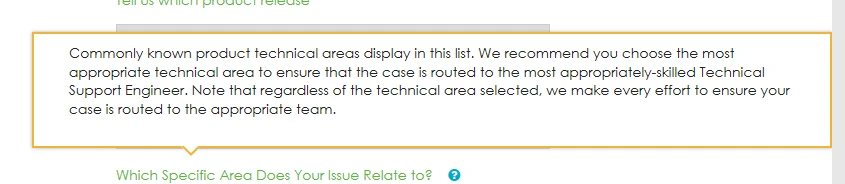
 

Help Bubble.PNG

    3 replies

    1-Visitor
    Mar 15, 2018 7:12 AM UTC

    The problem exists in the IE11 too.

    May 4, 2018 8:33 AM UTC
    Status changed to: Under Investigation

    Hi Tom, hi Domenic,

    Are you still seeing this stickiness issue ? I remember it being a problem myself a few months back, but I'm not seeing this today. When I mouse away from the text. It disappears promptly. Here's the same page for me in Edge 41.16299.248.0

    Many thanks,

    Peter.

    1-Visitor
    May 7, 2018 8:29 AM UTC

    I just tested it, but was not able to reproduce the issue again.

    About one second after I've moved away with the mouse the bubbles disappear.