Nov 1, 2019 5:55 PM UTC
Question

Lattice tool wont work as expected

Hello Creo users,

We are trying the new lattice tool and it doesn't work as expected.

Unfortunately we are not able to generate something 😞

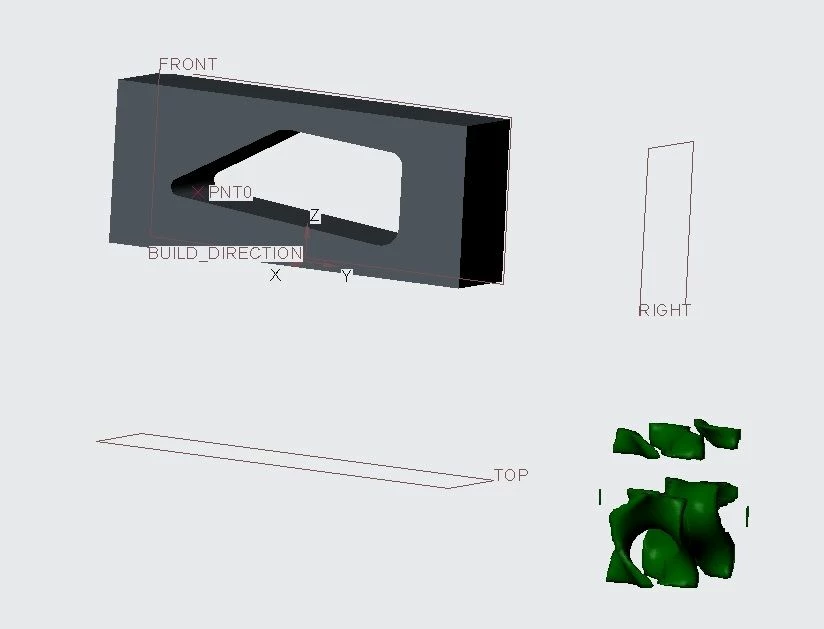
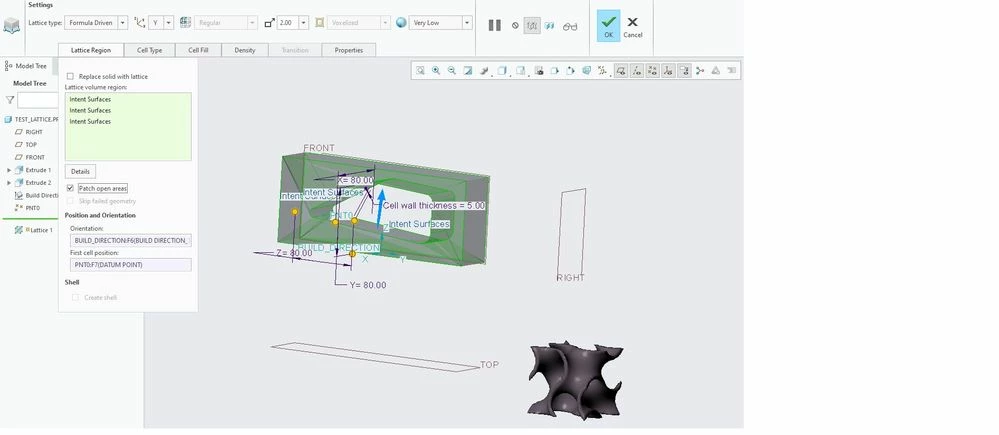
The final output ist a minimal surface body deformed and not even attached to the part.


Before:
 

before.jpg

After:

after.jpg

It does not at all work like in this video here:

https://www.youtube.com/watch?v=m5jNDt2vZqw


Does anyone has an idea why this fails?


regards

13 replies

multigridAuthor
Nov 2, 2019 12:19 PM UTC

push

Nov 4, 2019 6:13 AM UTC

Hi,

please do following steps:

  • upload your model
  • show what surfaces are selected
  • show lattice size and other numerical parameters


multigridAuthor
Nov 4, 2019 10:38 AM UTC

Hi,

thank you for your answer.


What surfaces do i select:

First I select the inner surfaces like so:

surface_1.pngThen I select the outer surfaces normal to X-direction on both sides (in the picture one of them is highlighted)

surface_2.png

Final it looks like this:

surface_3.png

Other lattice types work well with this surface selection.

See here:

other_lattice.png


If I switch to e.g. a Gyroid the cell moves to my initial coordinate system regardless of my selection of orientation.


gyro.png

The following parameters are used:

parameters.png

Does anyone have an ideal to overcome this bug?

Nov 4, 2019 11:05 AM UTC

Hi,

upload your model.

Nov 11, 2019 12:39 PM UTC

Hi  multigrid,

The reason you can't generate the lattice is that you are selecting the STL surfaces, as you used the Additive MFG Build tools before the lattice creation. You could try to do the Lattice before selecting the build direction.

Thanks,

Alex