
Mar 16, 2022 11:36 AM UTC
Solved

Creo 8.0 licensing doesn't work

Hello,
Im a student and I've been using Creo 7.0 for the past year. Now I updated to Creo 8.0 and tried to use the Creo 8.0 education license (BE800908EDSTUDENTEDK12).. However, every time i try to install it, i get a error message saying it is "not appropriate". 
Really hoping to find a solution fast, as I need it for a class. 
Thanks in advance! 
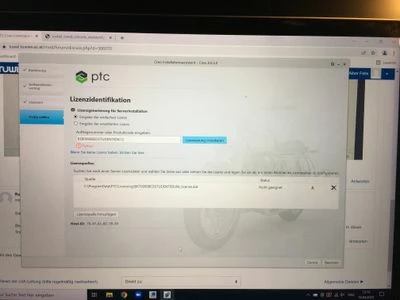
IMG_1406.jpeg

Mar 16, 2022 12:10 PM UTC

Hi,

please read https://apps.ptc.com/schools/references/install_creo8_schools_standard.pdf again.

Important information follows:

If you had older Creo editions installed on your computer, please go to C:\ProgramData\PTC\Licensing directory and delete all the older licenses (you can also move them to another folder until the Creo 8.0 is installed). After the folder is empty you can proceed with the next step.


If installer displays following info, then click cross to delete link to older license file.

MartinHanak_1-1647432602113.png


3 replies

Mar 16, 2022 12:10 PM UTC

Hi,

please read https://apps.ptc.com/schools/references/install_creo8_schools_standard.pdf again.

Important information follows:

If you had older Creo editions installed on your computer, please go to C:\ProgramData\PTC\Licensing directory and delete all the older licenses (you can also move them to another folder until the Creo 8.0 is installed). After the folder is empty you can proceed with the next step.


If installer displays following info, then click cross to delete link to older license file.

MartinHanak_1-1647432602113.png


Mar 16, 2022 12:24 PM UTC

thx for the quick answer. 
I've done that now (i missed the step with the hidden folder), but now I get a new error message saying "you have reached the maximum number of license requests avaiable for your product type" 

IMG-1408.JPG

Mar 16, 2022 12:35 PM UTC

Hi,

I am sorry but I do not know anything about limits.

I think you can enter BK800908EDSTUDENTEDUNI product code.
