
Jun 26, 2023 2:21 AM UTC
Solved

"Application Selection" screen shows no options for installing Creo 10 University Edition

I paid for the license and I have my license key and the license pack. The installation seems to accept these as valid, but then when I go to the "application selection" screen there are no options to install the software. So, I'm pretty much stuck like chuck. What should I do?
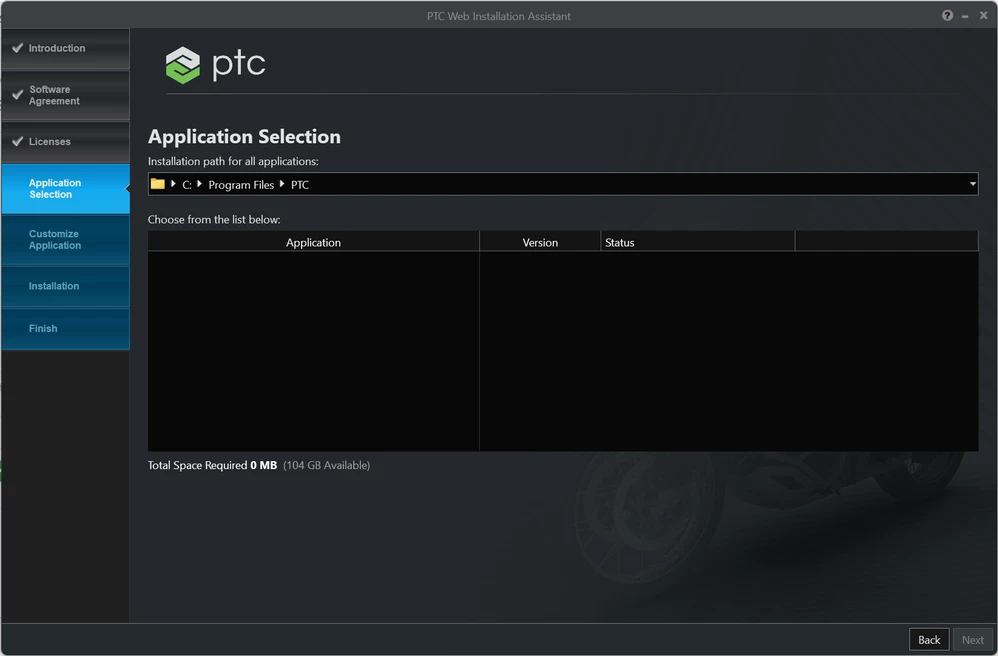
 

Screenshot 2023-06-25 211615.png.

Jul 11, 2023 7:11 AM UTC

Hi Herrera,


Here is a direct download link for Creo 10.0: 

https://apps.ptc.com/schools/MED-100WIN-CD-470_10-0-0-0_Win64.zip

~Alex

8 replies

herreraAuthor
Jun 26, 2023 2:26 AM UTC

I have tried going to the PTC support website but it doesn't help at all. I try going to the "Download Software" page but all I get is an error message telling me I need to upgrade my support account. Seriously, what?

Jun 26, 2023 7:50 AM UTC

@herrera wrote:

I have tried going to the PTC support website but it doesn't help at all. I try going to the "Download Software" page but all I get is an error message telling me I need to upgrade my support account. Seriously, what?


Hi,

https://support.ptc.com/appserver/cs/software_update/swupdate.jsp page is intended for commercial users.

Students can use https://support.ptc.com/appserver/auth/it/esd/academicFree.jsp page.

herreraAuthor
Jun 26, 2023 12:59 PM UTC

Thanks for clarifying that for me. Is this a different version of Creo than the University Premium version? On the purchase page it shows that I bought Creo 10 University Premium, but this page only shows up to Creo 9. I believe the free education version of Creo has more restrictions than University Premium, so I just want to be sure that I am downloading the correct software.

Jun 26, 2023 7:53 AM UTC

Hi,

do not use web installer. Download 5GB zip file from, unzip it into empty directory a run setup.exe.

If the application list is empty again, then your license file does not contain any license code.