
Windchill + Creo 1.0 (two is better than one)
More and more CAD users (and users in general) have dual monitor setups at their desktop. I for one am a big fan. It is great to be able to leverage this 2x in screen real estate to display multiple windows in full screen mode. For our Windchill integration with Creo we too wanted to take full advantage of this popular configuration. The ideal would be to display my Creo modeling application on one screen and my data management window (the embedded browser) in another. Creo 1.0 introduces a new config.pro option making this possible. By setting the new option:
web_browser_in_separate_window=yes.
For those new to the Creo 1.0 menus this is accessed via File > Options then click on Configuration Editor in the left hand pane of the Options UI
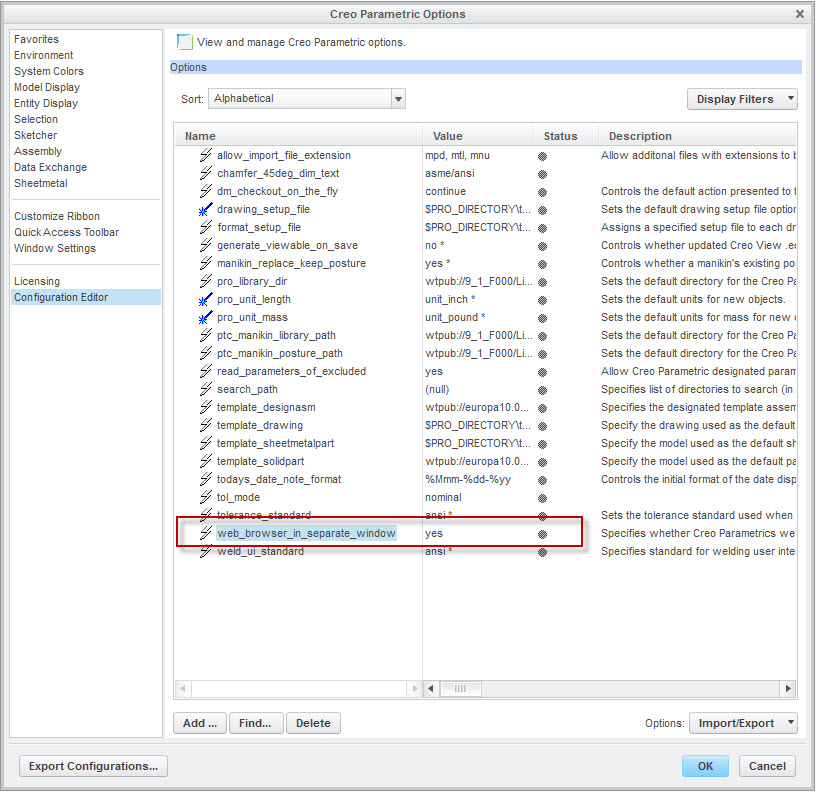
Once the value is set and saved, you will need to restart Creo for the setting to take effect. Now you are able to take full advantage of your screen real estate for modeling while at the same time maximize the viewing area for your workspace, or browsing Windchill.
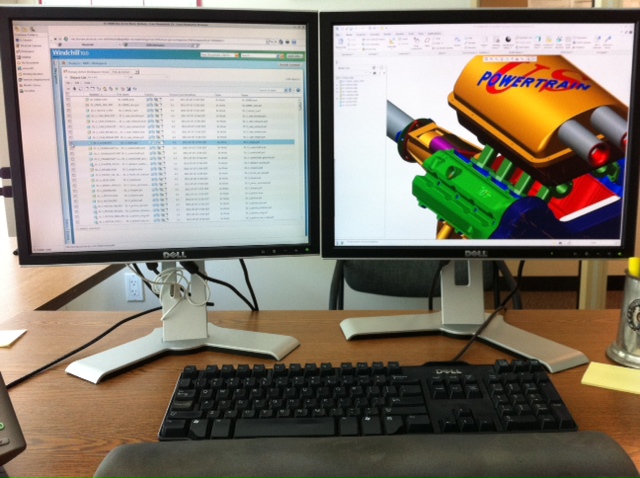
Running Creo 1.0 (Right) with embedded browser (Left) running in a separate window
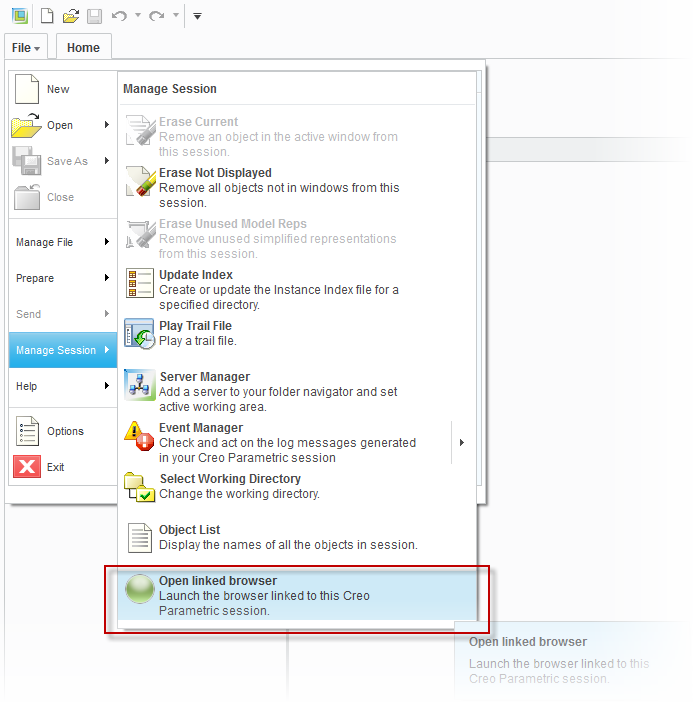
Note, if you ever accidently close the browser window it can always be re-launched from File > Manage Session > Open linked browser.
This Creo 1.0 feature works with both Windchill 10.0 and 9.1. Enjoy!