
Major improvements needed in Creo Drafting
Hi all
Here I am sharing experience on drafting on Creo w.r.t. SolidWorks drafting.
| Improvements Section | SW | Creo |
|---|---|---|
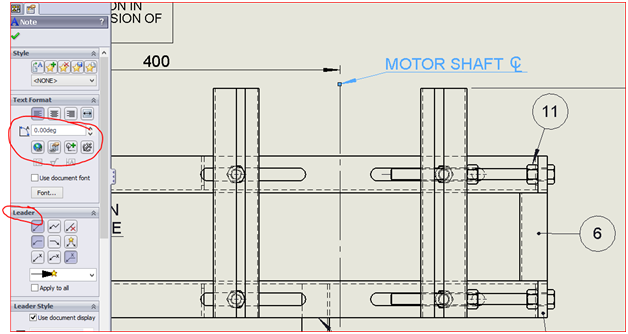
| Adding Note | We can remodify leader with access to lot of engineering symbols
| If note added without leader, we can not add it later, we have to reuse command with leader with access to limited symbols. |
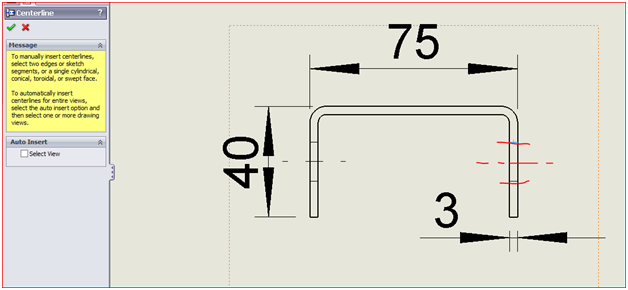
| Center lines | We can add center lines by selecting 2 parallel entities and it creates mid center line of them in drafting mode.
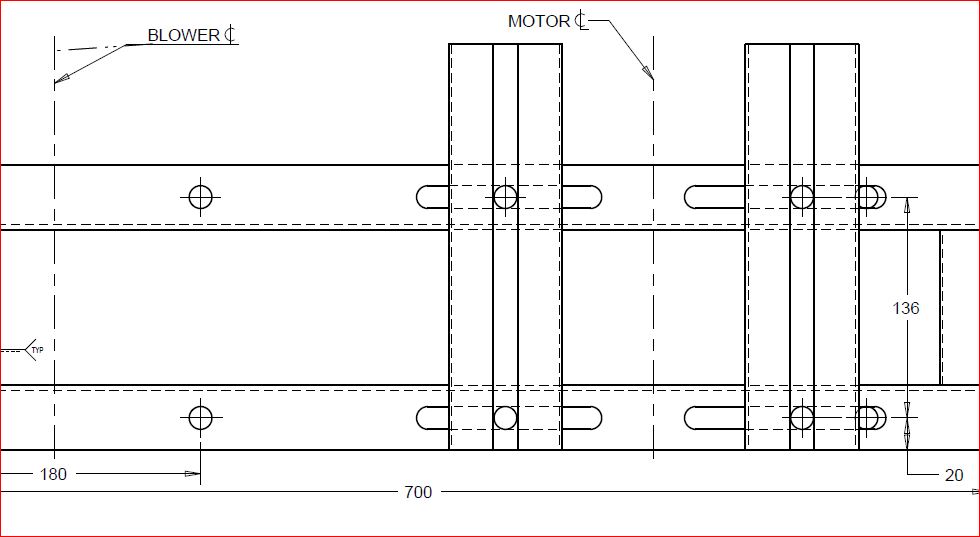
| But in creo we have to open model and create sketch in annoation tab for creating centrelines (in fig. blower cl and motor cl are example. Creating such center lines in sketch of creo drafting, will not update after model change.
|
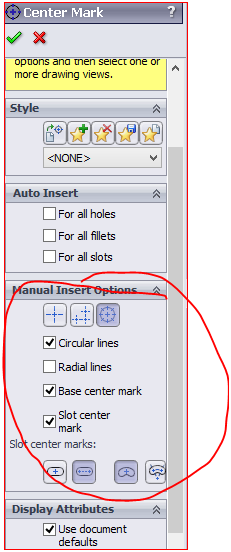
| Center Mark & Slot Center line | We have multiple choices for center mark which be applied for:-
| I think we have to create sketch in model again for annotation to show in drafting. Still we would not be happy whatever if we create. It's so time consuming and irritating. |
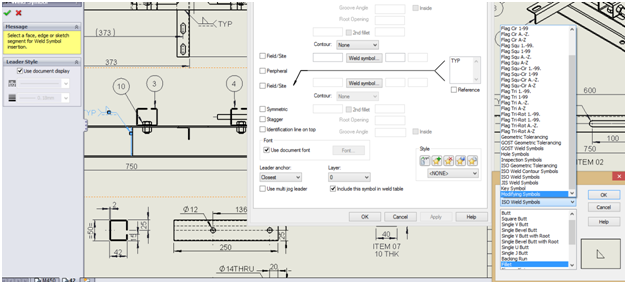
| Weld Symbol | Weld symbols are easily accessible in SW and all standard formats & alterations are easily editable and customizable. Powerful and understandable too.
| First I had to search weld symbols in creo installation directory, then added that folder to common folder for easy access. Still weld symbol Size is weird as compared to SW. |
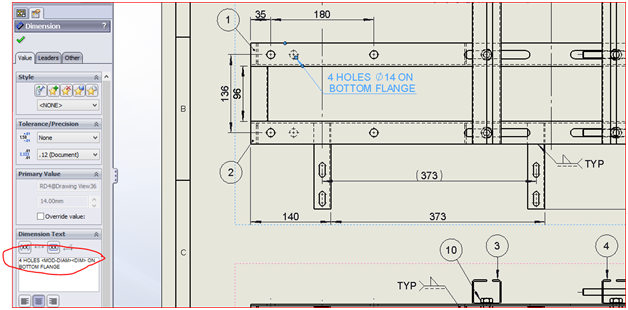
| Dimensioning | We can add model dimensions. or we can add dimensions manually they work fine in drafting like in modeling. Adding Remarks and dimension control is easy and user friendly. | If We create hole dimension manually, first takes it as radius & we can't change to diameter. Hole to hole dimensions takes a long answering to multiple choices questions put by software. & If we add diameter dimension as model dimension and add some some remark then they will appear in model and other views too unnecessarily. |
| BOM | SW consider configurable component as different component in BOM. plus parameters defined in Part or assembly are easily accessible for BOM entry. | Creo consider flexible component as single component however we know they are different that is why we add flexibility. |
One thing to add more here that Creo should introduce single tool for controlling configuration of either part or assembly not just splitting it into family table and flexibility feature (SW is leading in configuration tool in parts & assemblies when compared to creo).
But all I know Creo is very much fast by performance and its capabilities in modeling and assembly management and heavy project handling can't be compared to any other software.
I am really big fan of PTC technology and all I want it lead all CAD softwares.