
May 7, 2025 11:59 PM UTC
Question

Unable to Install Mathcad Prime 11 on Windows 11

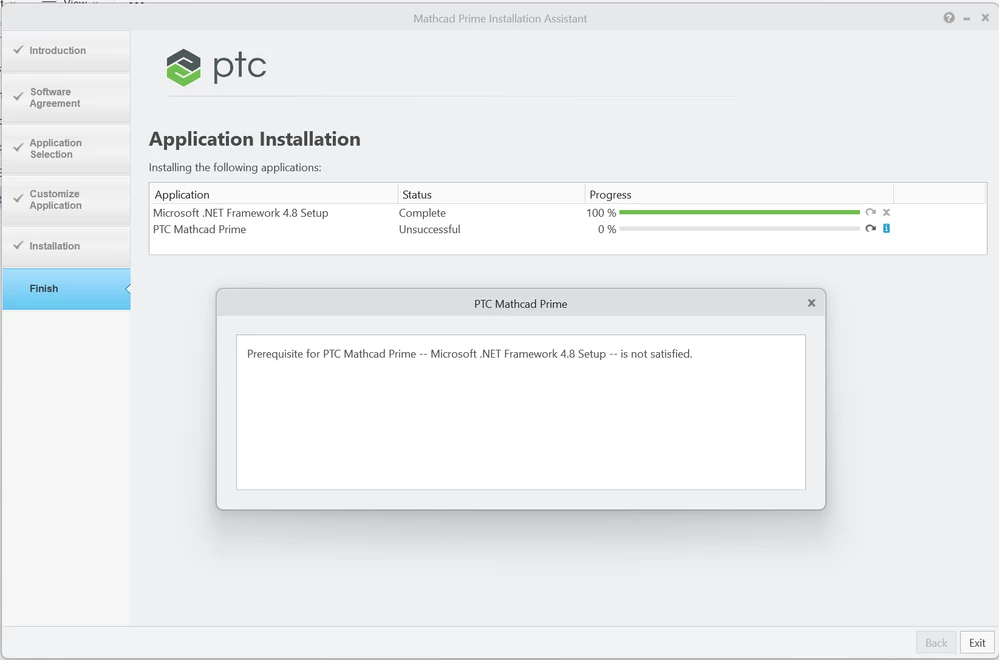
I am unable to install Mathcad Prime 11 on my Windows 11 PC. When I attempt the install, I get the following error message even though I already have .NET Framework 4.8.9 installed (apparently it is now part of Windows 11 and cannot be uninstalled):
 

SteveMetzer_0-1746662285882.png


Anyone have a fix/workaround for this?


2 replies

3-Newcomer
May 8, 2025 3:38 PM UTC

I seem to remember that certain .Net framework versions can be specifically required, like their functionality is not (fully) covered by a higher version.

Check here: https://learn.microsoft.com/en-us/dotnet/framework/install/how-to-determine-which-versions-are-installed

and here: https://learn.microsoft.com/en-us/dotnet/framework/install/versions-and-dependencies

Success!
Luc

May 8, 2025 6:52 PM UTC

Yes, this is an issue that software developers need to be aware of and to plan for.  However, the problem here is with the Mathcad Prime 11 setup program in that it fails to recognize that .NET 4.8 (or later) is already installed.  The setup program for Prime 10 did not have this issue.