Mar 25, 2021 7:02 AM UTC
Solved

Excel Table has no values on mathcad 15 M050

Hi,

I recently updated my windows from 7 to 10. I also updated my mathcad 15 from M010 to M050 since I found out that it is more compatible with windows 10.


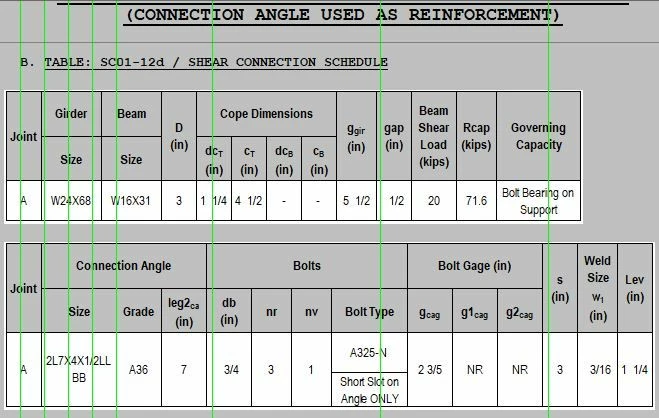
After updating, I checked one of my previous mathcad file, i found out that it wont display the text that are entered on it. I've try reinstalling the matchad 15 M050, or using matchad 15 M010, but it looks like its the windows that has the problem. Are there workarounds for this? 

2021-03-25 14_57_27-Mathcad - [XXX_SC01-12d_(14th)].png

2021-03-25 14_58_06-Mathcad - [XXX_SC01-12d_(14th)].png


Mar 26, 2021 1:57 AM UTC

Hi,


Works fine on my PC with Windows 10 Pro.

Use the enclosed old Mathcad File that produces a 3D plot and test if you see the plot.  If not visible the culprit will be the computer graphics.  You may need to update the driver that used to be used with windows 7 now used with windows 10.


Capture.JPG

4 replies

Mar 25, 2021 8:50 AM UTC

Hi,


If at all possible you need to upload the file.

Cheers

Terry

Mar 25, 2021 11:35 PM UTC

@terryhendicott please see attachment.

Mar 26, 2021 1:57 AM UTC

Hi,


Works fine on my PC with Windows 10 Pro.

Use the enclosed old Mathcad File that produces a 3D plot and test if you see the plot.  If not visible the culprit will be the computer graphics.  You may need to update the driver that used to be used with windows 7 now used with windows 10.


Capture.JPG