Visualizing CAD Represented Parts and Assembly Features
Visualization of Assembly Features
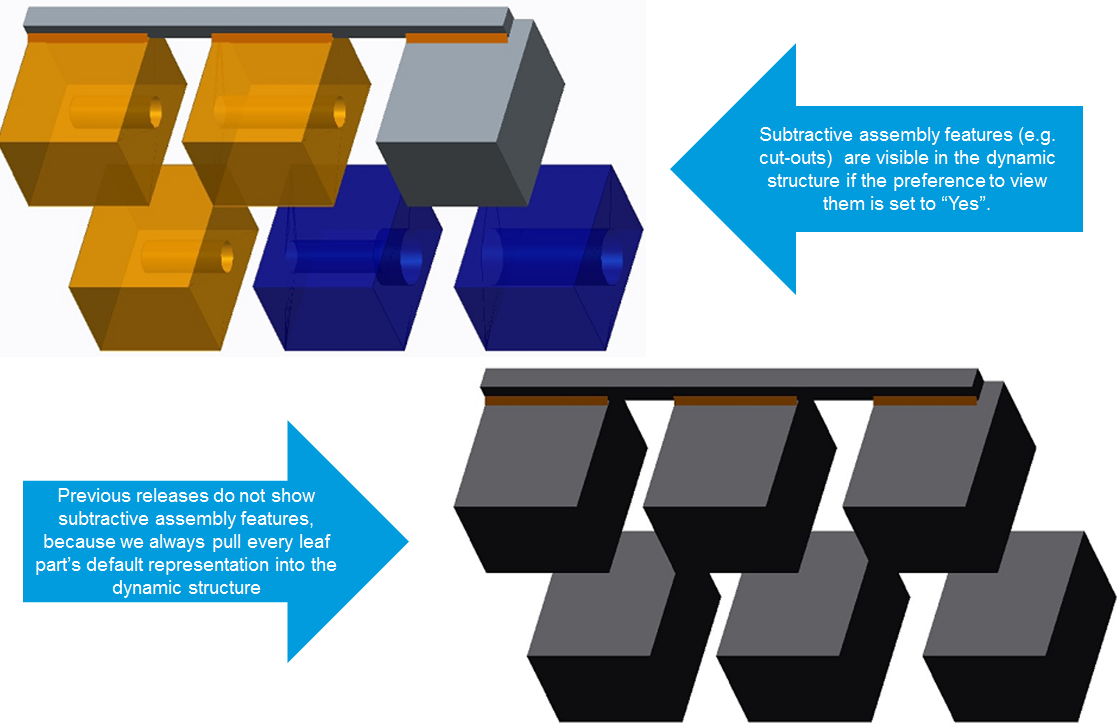
Beginning at Windchill 10.2 M030, visualization of assembly features in dynamic part structures can be enabled by setting the user preference
Visualization ▶ Dynamic Structure ▶ Assembly Features in Dynamic Part Structures to Yes.
Visualization of assembly features in dynamic CAD structures can be enabled by setting the user preference
Visualization ▶ Dynamic Structure ▶ Assembly Features in Dynamic CAD Structures to Yes.
Use Case — A WTPart Structure is associated to a CAD assembly that has assembly features and flexible components. The default representations of all assemblies at all structural levels are published as a non-positioning assembly or as extended positioning assemblies. You cannot publish an assembly that has assembly features as a positioning assembly. When dynamically viewing the part structure, the assembly features and flexible components must be displayed.
Enabling assembly features has some limitations, and should only be enabled if the limitations are understood and acceptable. The OL file containing the assembly feature is retrieved from the assembly’s representation. If there are
multiple iterations/versions of the child parts, there is no way to guarantee that the OL file used to display the assembly feature is the one created for the iteration/version selected by the current navigation criteria for the assembly.