New Idea
Appearance States
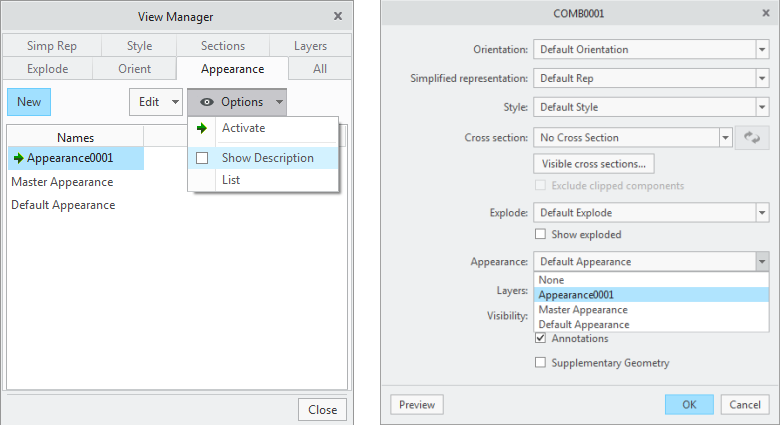
The View Manager now also contains a tab for Appearance states.
From the Appearance tab you can create a new Appearance in several ways, like:
- Selecting New.
- With the Default Appearance active, using the Right Mouse Button (RMB) on the Appearance name and selecting Copy to copy to a new name.
- With the Master Appearance active, using the RMB on the Appearance name and selecting either Save or Copy.
If the Master Appearance has been changed Save will be available, which will save it to a new appearance. Otherwise Copy can be selected.
Each Appearance state can be given a description, selecting Description from the the RMB menu on the Appearance name.
Appearance states can also be used in combined states.