
Full Screen / Window Position Oddities
I run 3 monitors, my 17" laptop screen on a dock at the far left and two Dell U2414H 24" LCDs to the right. The center screen is my primary and my taskbar is vertical along the left edge of the center screen.
Creo 4 opens on the center screen with a menu space available to the right:
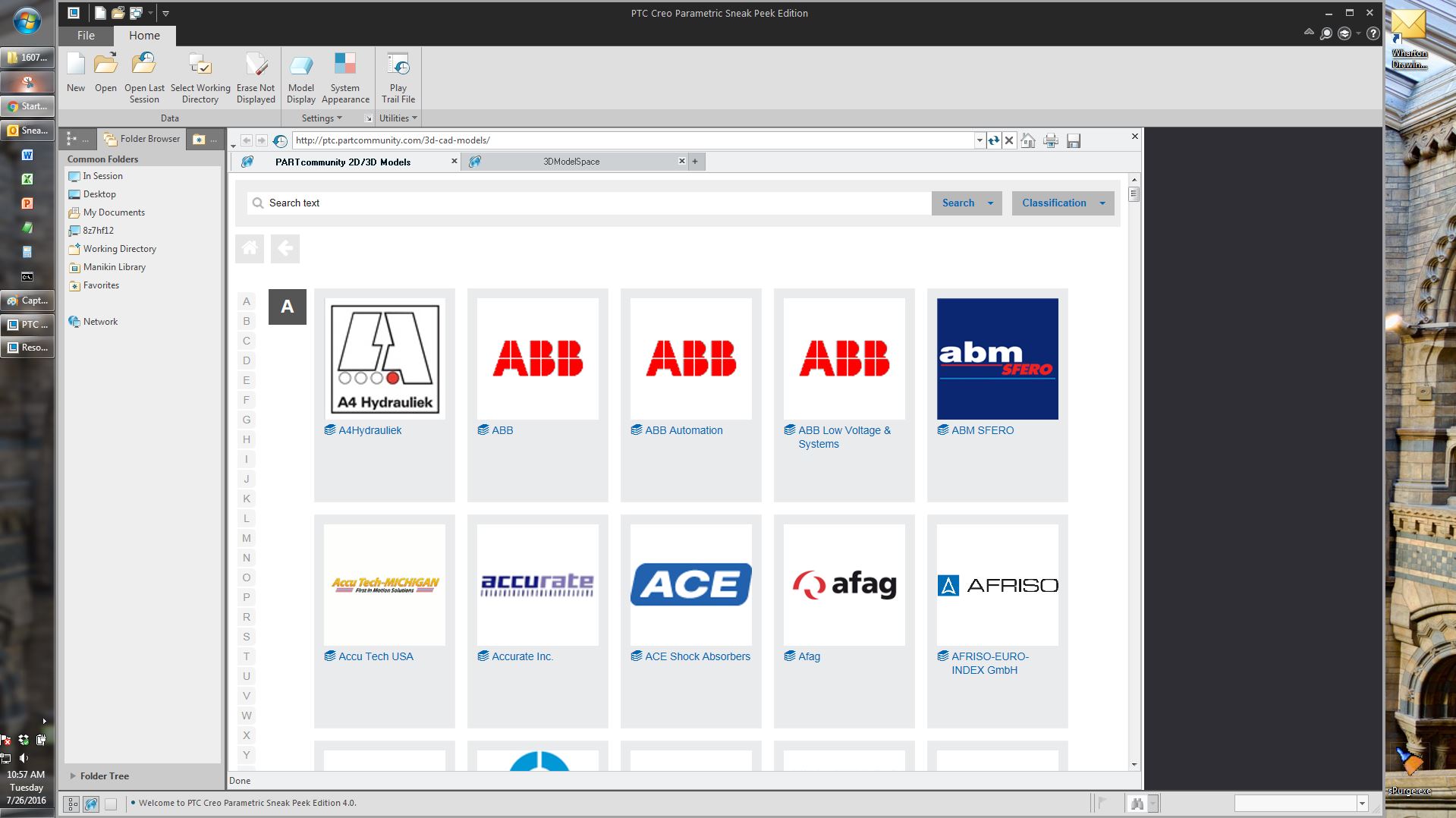
One time, I selected reopen last session and the screen shifted to the right, with the menu space on the left instead. I haven't been able to reproduce that, however.
If I activate full screen from this state, I get full screen as I expect, over top of the taskbar with the blue line top, left and bottom indicating that there are pop up items available.
If, however, I make Creo 4 maximized first and then go full screen, I get this:
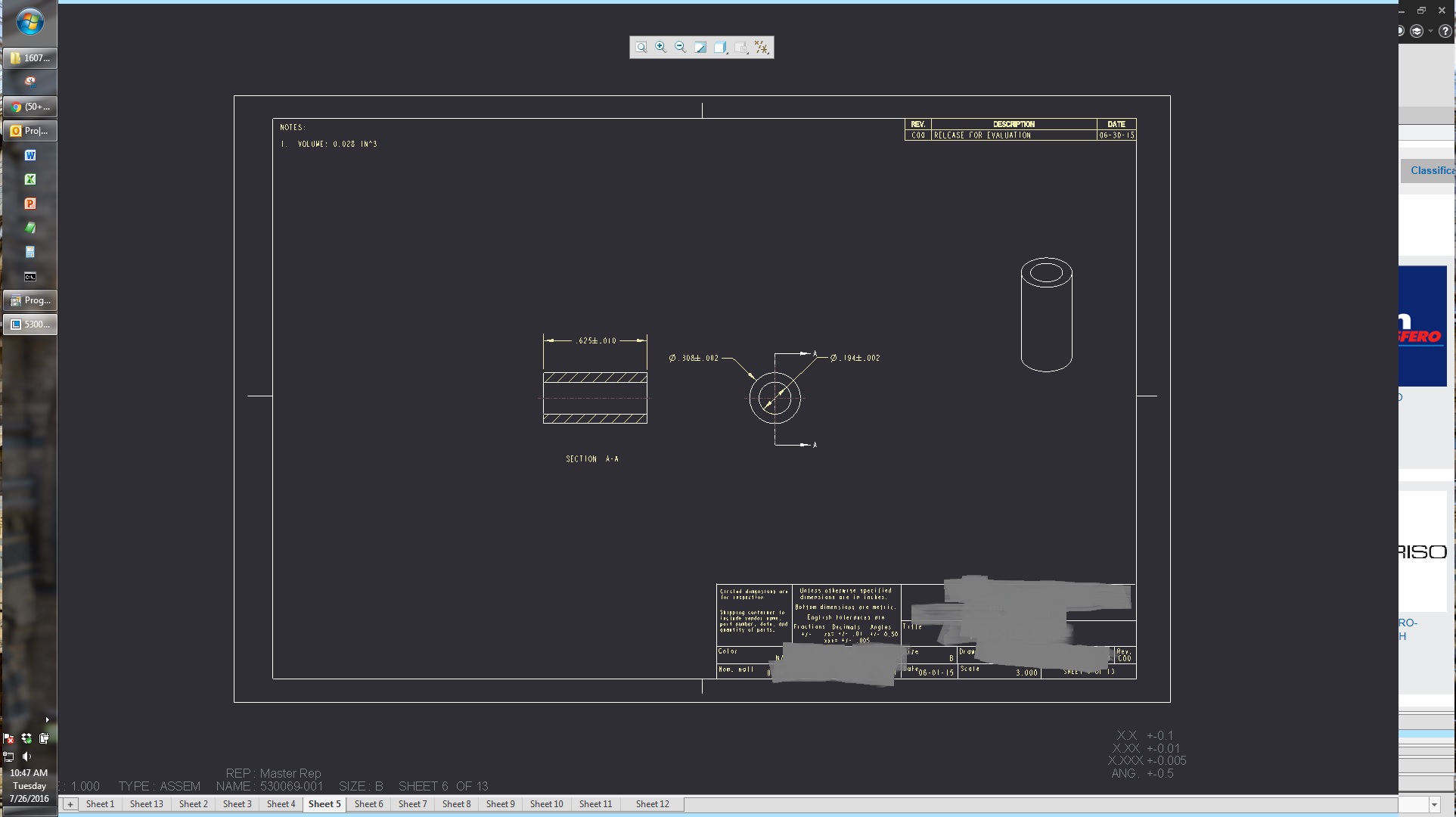
Note the taskbar covers the left side of the screen and there is something visible on the right side, roughly the same size as the taskbar. In this screenshot it's the Creo 4 browser, sometimes it's teh desktop. I cannot access the model tree because the taskbar is in the way and it will not go away.
Exiting full screen goes back to the maximized window. If I restore the window, it does not restore to the proper place:
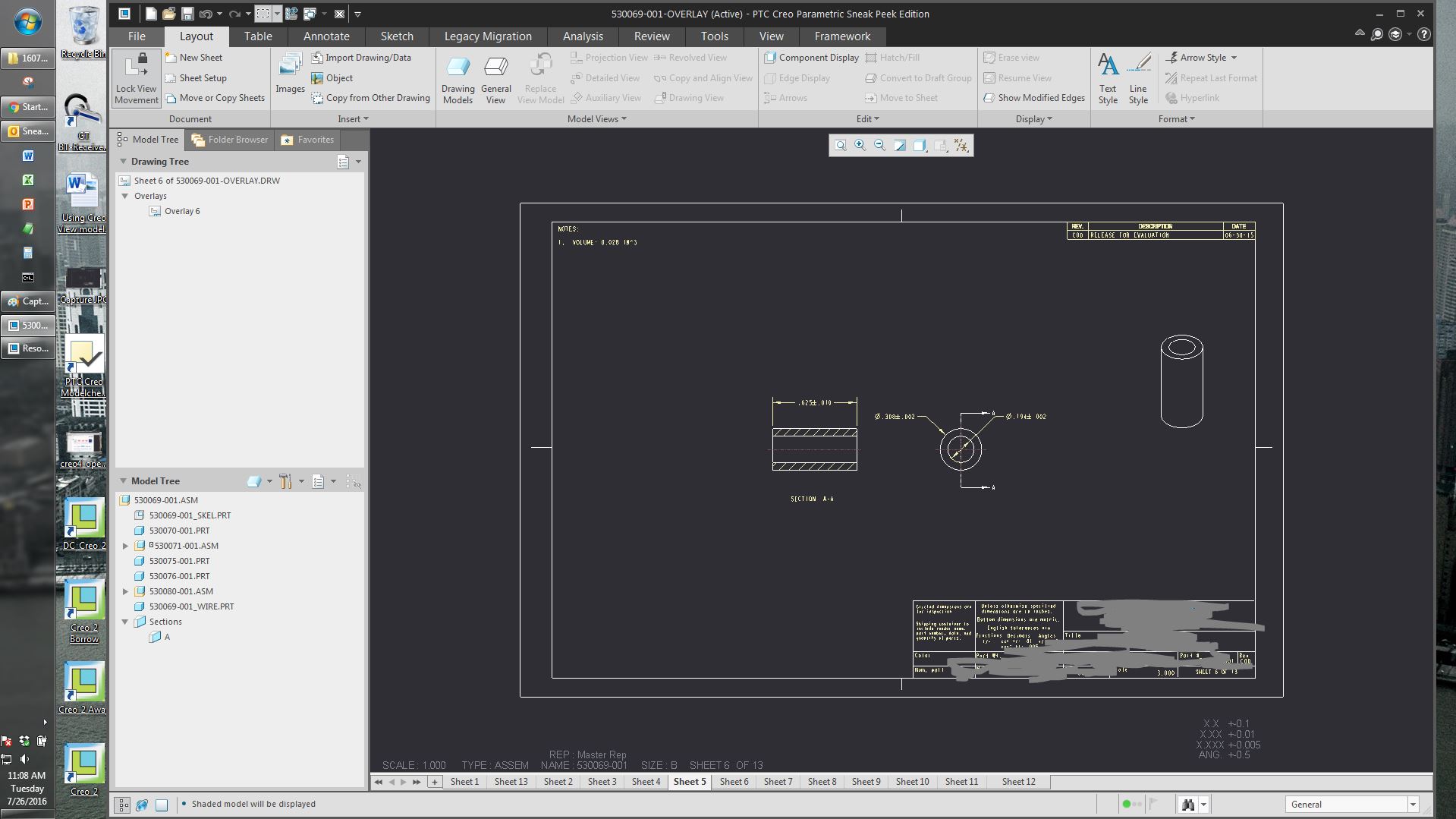
Note the small space to the right and larger space to the left. This is not consistent, sometimes it's off screen to the top or to the right. Each time I make Creo maximized, then full screen, then exit full screen, then restore the window it shifts.
I have no issues like this with Creo 3 M100 or Creo 2 M220.
I'm running Windows 7 on a Dell M6800 with a Quadro K3100M running driver 353.82.