
Jun 22, 2016 1:48 PM UTC
Question

Customizing the shortcut menu - suggestion

The shortcut menu and the ability to customize it is a really great addition to Creo 4.

It would be good if you could customize Creo 4 such that when you left-click on the feature in a model tree, you can see the "Relations" button in the shortcut menu, which when clicked, would open the relations of that feature:
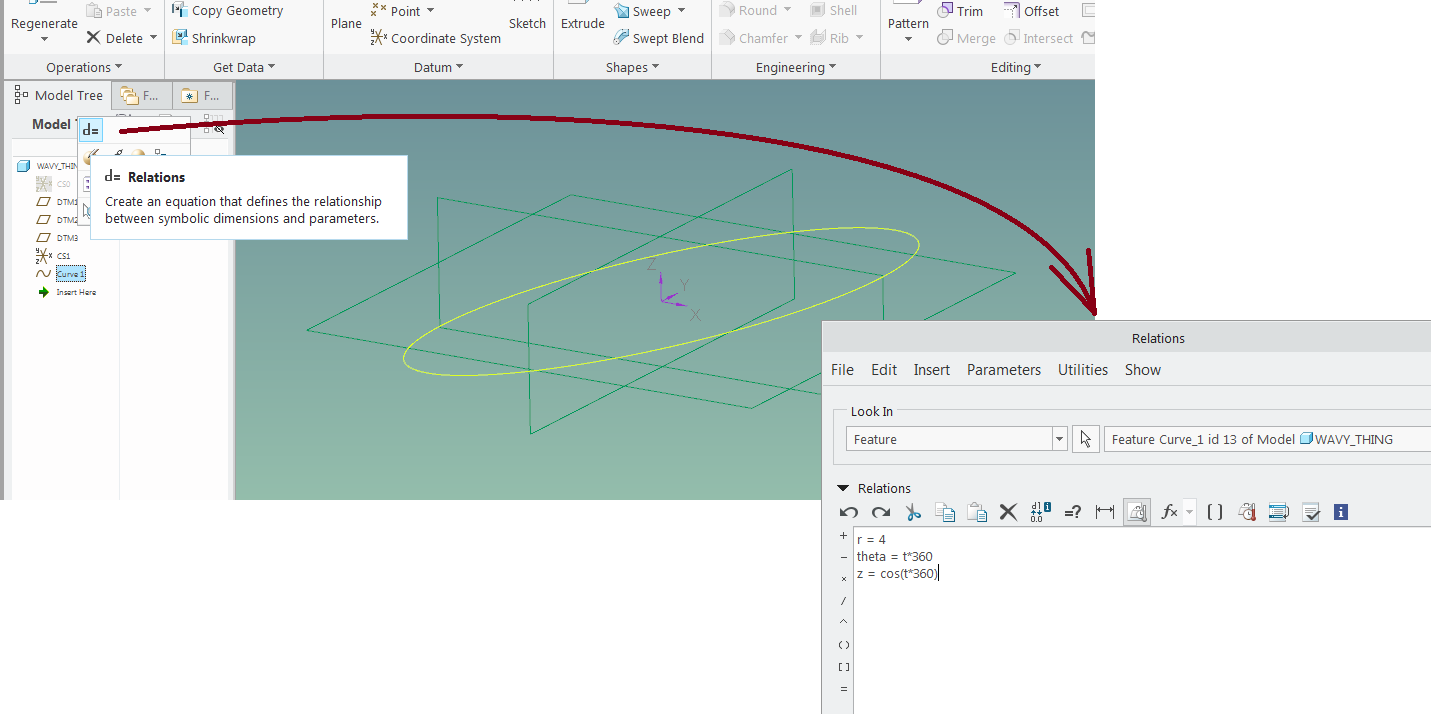
quick_access_to_feature_relations.png

The problem with the current functionality is that the "Relations" command opens the part relations dialog box - which makes it less of a shortcut

13 replies

Jun 22, 2016 2:07 PM UTC

Hi Paul,

If you refer to the ability to customize the mini toolbar or the shortcut menu when those are shown
"in action"

You can such customization easily:

You can RMB on the mini toolbar to get a  customize command

Or use the Customize command directly from the shortcut menu

Please correct me if I've miss understood your case.

Thanks,

Eyal

Jun 22, 2016 2:16 PM UTC

If I understand correctly this is less about customization of the mini toolbar by adding the relations (which is possible), but opening the relations dialog with the option pre-set to "feature". To my understanding this is currently rather a limitation of the Relations dialog box (not fully supporting Object/Action workflows).

But it is a good suggestion. We will need to check whether we can still do something about it for Creo 4.0.

Thanks for the feedback, Paul.

Can you confirm that this is what you were after?

best regards..Martin

psobejkoAuthor
Jun 22, 2016 2:21 PM UTC

Martin, you got exactly what I'm suggesting.

Jun 23, 2016 2:21 PM UTC

I was able to add mapkeys to the RMB top menu. Doesn't seem to be very contextual to which feature type I'm selecting but super cool!

mapkey in new shorcut menu.jpg

Jun 23, 2016 2:52 PM UTC

Doesn't seem to be very contextual to which feature type I'm selecting but super cool!

In some ways it's better if it's NOT context sensitive.  We don't want to have to modify the ribbon (or menu) for every possible "mode".