Jun 16, 2022 9:03 AM UTC
Solved

How to add "Text Symbol" to dimension by TOOLKIT?

I am using Creo Parametric - Release 4.0 (connected) Release 4.0 and DatecodeM150

请问如何使用TOOLKIT给尺寸文本添加“文本符号”?


How to add "text symbol" to dimension text using TOOLKIT?


Translated with google translate by Iuliana Nuta, 16. june 2022
remyAnswer
Jun 16, 2022 10:52 AM UTC

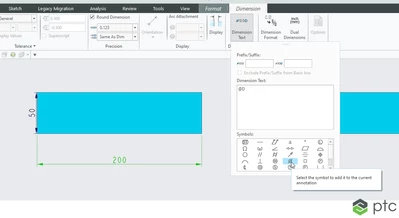
Hi your application needs to perform the following:

remy_0-1655374340945.png


that's to say Select an existing dimension then browse Dimension tab > and pick a symbol in the palette.


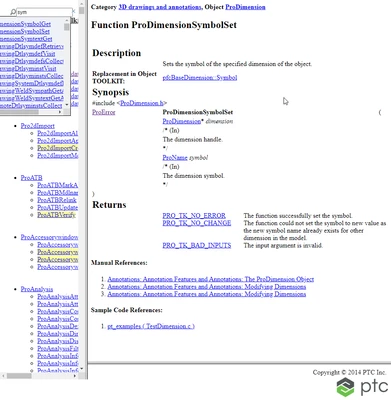
Once your application gets the dimension, here is the function to call to set a Symbol: ProDimensionSymbolSet() 

remy_0-1655376658156.png


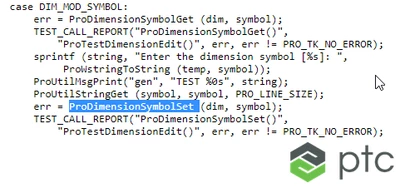
The page points to the shipped example: TestDimension.c:

remy_1-1655376737504.png


1 reply

remyAnswer
Jun 16, 2022 10:52 AM UTC

Hi your application needs to perform the following:

remy_0-1655374340945.png


that's to say Select an existing dimension then browse Dimension tab > and pick a symbol in the palette.


Once your application gets the dimension, here is the function to call to set a Symbol: ProDimensionSymbolSet() 

remy_0-1655376658156.png


The page points to the shipped example: TestDimension.c:

remy_1-1655376737504.png