
Acknowledged
WebGL toolkit - overwrite Creo Illustrate step description note
In a pvz, the note containing the description of a step can be difficult to read (cf. picture below) and does not benefit from text enhancements (for instance, title and content look the same).
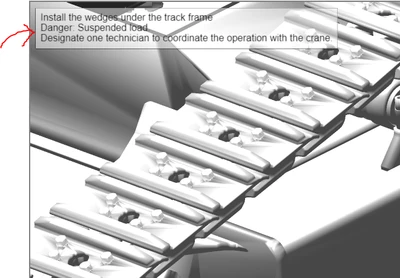
To display this note in a more suitable way, we would like :
- to be able (through WebGL toolkit) to retrieve all information contained in the step notes and to be able hide the note. With those two features, we will be able to hide the note and display its content with enhancement (cf. picture below)
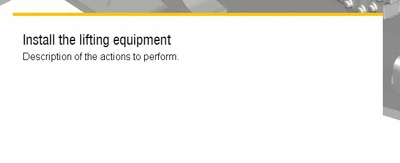
- or to be able to customize the step description note directly in Creo Illustrate when preparing the pvz :
- Edit the text area background and border styles
- Edit the text area position
- Edit the text area title font, size and color
- Edit the text area content font, size and color