
Inability to adjust arrowhead size in Creo Illustrate
Please include detailed documentation such as screenshots, images or video.
1. What product and version are you running?
We are using Creo Illustrate 8.1, 9.1, 10.1 & 11.0
2. What is the problem?
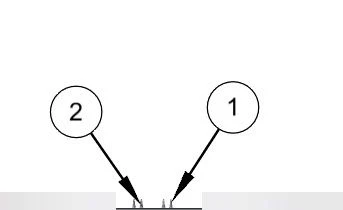
The inability to customize arrowhead size in Creo Illustrate can compromise the effectiveness of technical illustrations. Arrowheads often appear disproportionately large, sometimes obscuring the model itself
3. Are you using a workaround? If yes, please describe it.
No workaround available
4. What is the use case for your organization? Describe how your idea would work in context or how it would apply to a practical situation.
Solution:
- Arrowhead Size Customization: Implement a feature within Creo Illustrate that allows users to adjust the size of arrowheads. This customization should be flexible, enabling users to choose appropriate sizes based on the complexity of the illustration and the desired level of detail.
- Automatic Adjustment: Explore the possibility of automating arrowhead size adjustments based on factors such as the proximity of other components or the overall scale of the illustration. This could help streamline the process and reduce manual intervention.
5. What impact does this problem currently have on your organization? (Number of users affected, hours of lost productivity, etc.)
The inability to adjust the size of arrowheads in Creo Illustrate can lead to several negative impacts on the business:
- Reduced Clarity: Large arrowheads that obscure component details can cause confusion for users and stakeholders, potentially leading to misinterpretations of the illustrations.
- Increased Revision Time: Illustrators may spend extra time revising or recreating illustrations to work around the issue