
Creo View - Add option to change Markups/Annotations' Font and Size
Please include detailed documentation such as screenshots, images or video.
1. What product and version are you running?
Creo View 10
2. What is the problem?
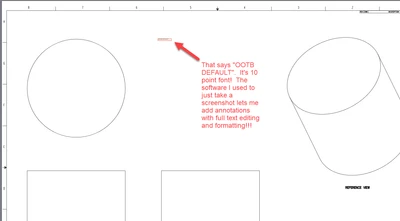
When/After adding a Note, the text size and attributes cannot be changed. It can only be changed BEFORE adding the note, in File, Options, Defaults, Annotations, Text. It is every bit as inconvenient as it sounds. This changes the default attributes for ALL annotations FOR ALL FILES GOING FORWARD. You cannot change the attributes or font size of an existing note. If you want one note different, you need to go to File, Options, Defaults, Annotations, Text, change the attributes, Save the settings, make the note, File, Options, Defaults, Annotations, Text, change it back (hope you remember what it was if it wasn't system default), Save the settings.
3. Are you using a workaround? If yes, please describe it.
File, Options, Defaults, Annotations, Text, changing the default settings for note text just to change the size of one note, but only BEFORE it is made.
4. What is the use case for your organization? Describe how your idea would work in context or how it would apply to a practical situation.
You should be able to edit the attributes of a note as you create it, or after you create it. It should be options displayed near the note itself, and also on the toolbar, and the right click menu. It should let you edit the attributes for the entire note, if the note itself is selected, or for selected text within the note, if only that is selected. Other common formatting such as justification, should also be included.
5. What impact does this problem currently have on your organization? (Number of users affected, hours of lost productivity, etc.)
General usability. This is a pain in the behind to use, and Creo View users, at least in our organization, are being thrust into the world of MBD when many would rather not be. Something like this will put them off using it entirely.
Referencing a previously posted idea by