Archived
When unblanking table cells' borders indicate position of currently blanked lines.
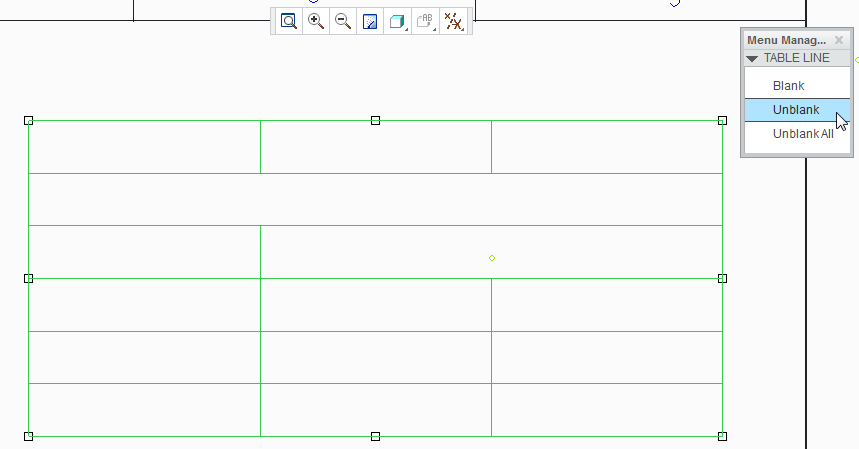
When using Unblank option from Line Display tool for tables, there are no indicators for where are lines that were previously blanked, so the use of Unblank turns into a bit of pixel-hunting with hope of clicking near of the blanked line to show it.
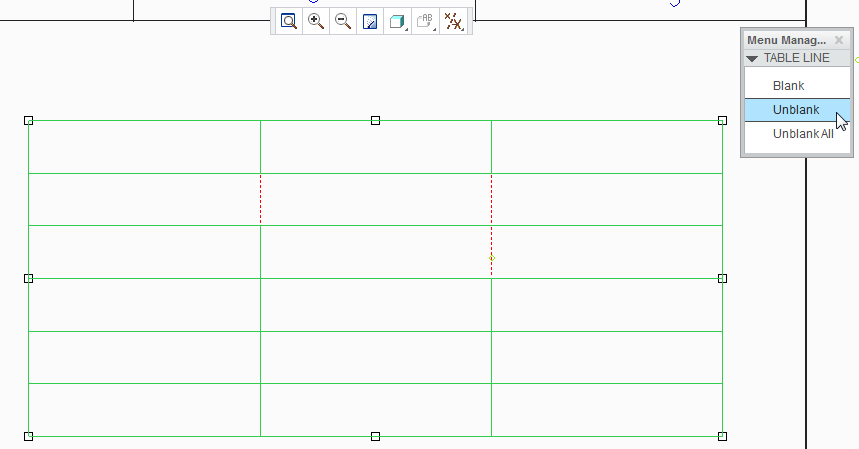
It'd be much better if, after switching to Unblank mode, currently blanked lines would be shown (for example, as dotted lines or dimmed lines), so the user could easily identify where are blanked lines in table and select them, so they would be displayed again.
For example
Current state: no indication where are blanked lines.
Proposed change: dotted lines displayed in place of blanked lines, so it's easier to find lines possible to unblank.