
Thickness of drawing table outer border different from thickness of internal lines in the table
1. Describe the Problem
When stacking drawing tables side by side or on top of each other, the readability will be improved if it was possible to have the outer border of each table represented with a thicker line as compared to the inner lines of the table. In Creo Parametric 10, it is possible to change the line thickness of the entire table using "Format > Line Style > Modify Lines" and then select a random line in the table, but this will affect innner lines as well as outer border of the tabel. At this point it should be possible to select either an internal line or border line and have the format change work only on the lines of that category.
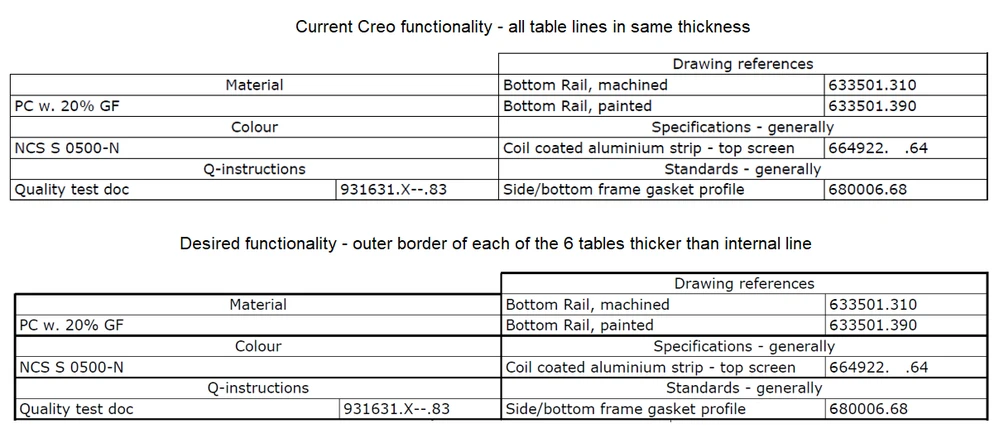
2. Are you using a workaround?
Some users are placing tables with a small distance in between, but visually that looks ugly.
3. What is the use case for your organization?
The idea would increase the quality and readability of output from drawings, e.g. PDF output
4. What impact does this problem currently have on your organization?
Easier for recievers of documentation to understand the information provided in tables