Jun 4, 2013 1:54 PM UTC
Current Functionality

The way to move notes and dimension should be the same

Related products:Creo Parametric

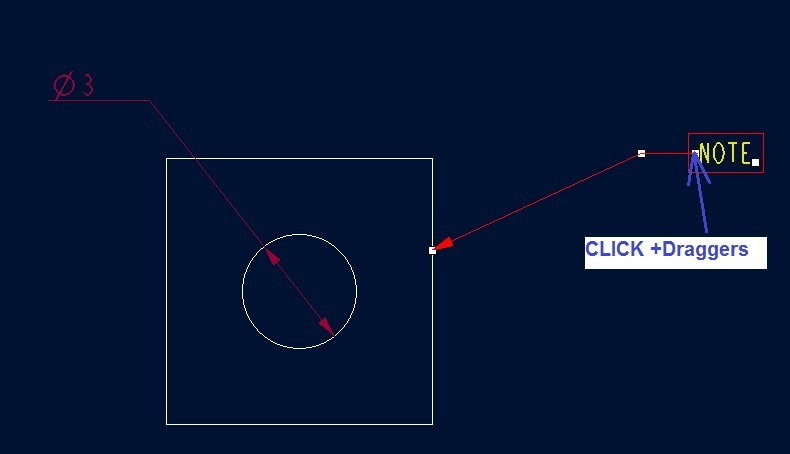
Since Creo 2.0, the way to move horizontally a dimension and a note is different

- for the dimension, SHIFT button need to be used

- for the note,  dragger need to be used
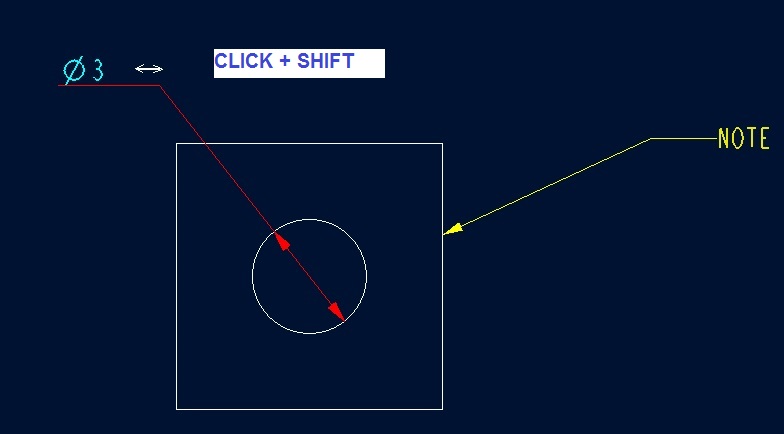


move_dimension.jpgmove_note.jpg


This is very disturbing for the user.

The note and dimension should be moved in the same way


The best solution should be to have the possibility to use either the SHIFT button or either the dragger for note and dimension

4 replies

Jun 4, 2013 2:38 PM UTC

Olivier,

About two weeks ago I needed to move a dimension laterially and didn't know about pressing "shift" and dragging.  I went through a 5 click sequence to do that.  Thanks for identifing a much simplier method.  I like the idea of standardizing their interface.

Apr 25, 2014 10:36 PM UTC

My related idea:

Re-add leader grab points for dimensons

http://communities.ptc.com/ideas/3534

Jun 14, 2018 6:31 PM UTC
Status changed to: Acknowledged
Apr 14, 2020 7:40 AM UTC
Status changed to: Current Functionality

Since Creo 4.0 it is possible to horizontally move both a dimension and a note when pressing the SHIFT key. 

In addition the note have an extra handle for the elbow that will allow the user to make sure that the note text is in place while the note leader changes its position