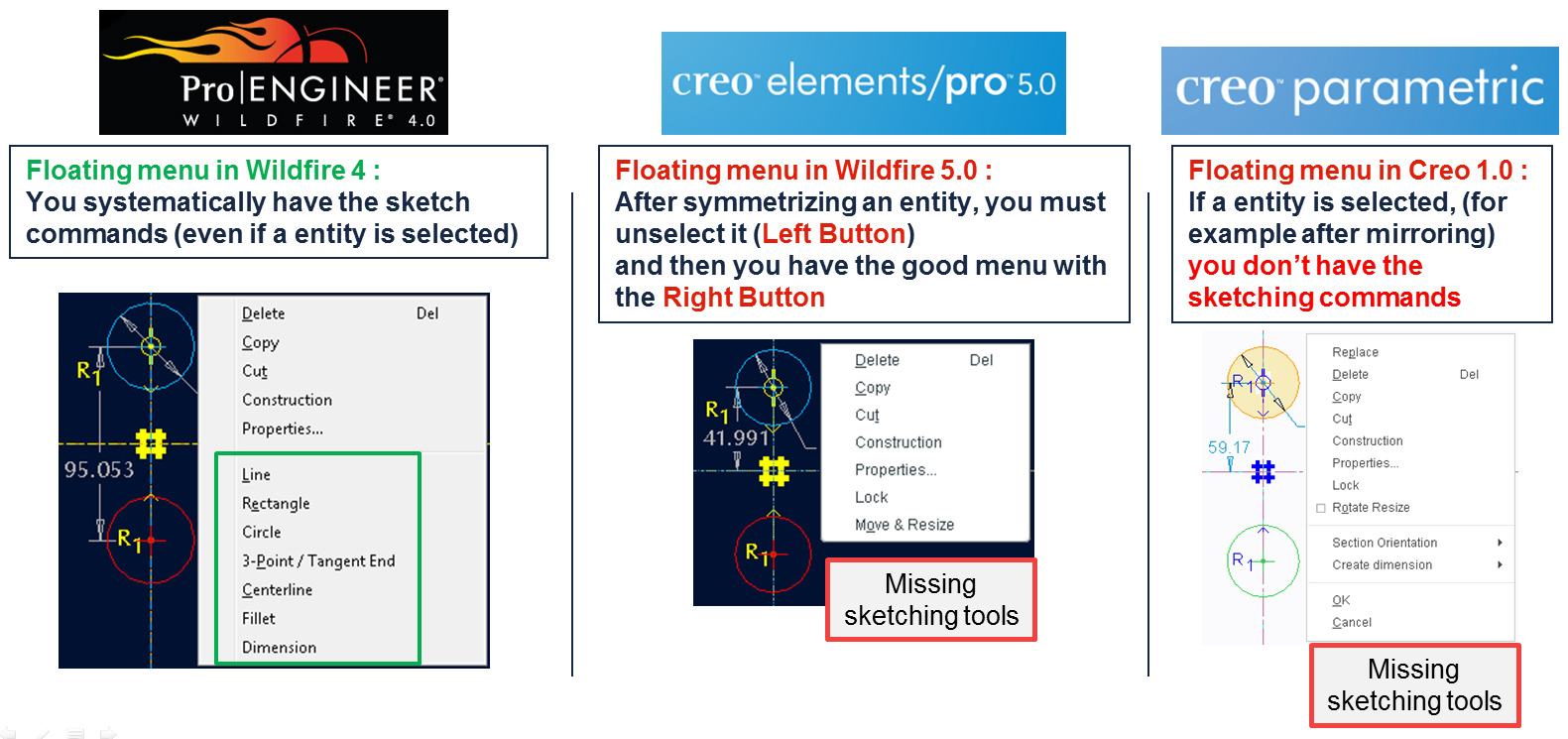
Systematic access to the sketching tools in sketcher Popup Menu (even if an entity is selected)
We need to have systematic access to the sketching tools with the sketcher Popup Menu (even if an entity is selected).
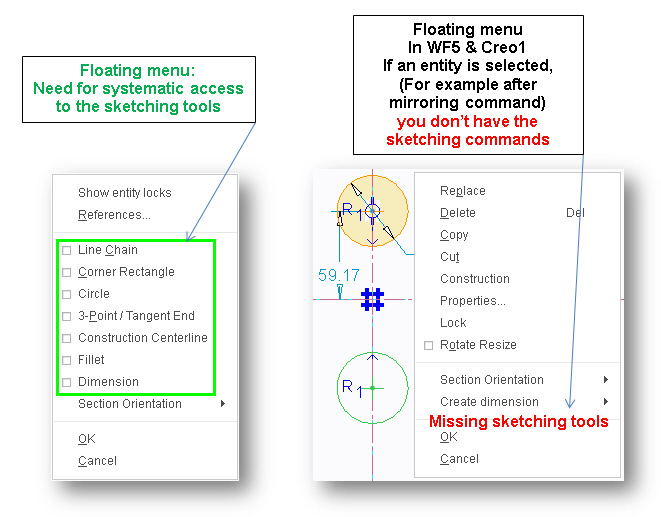
Popup Menu Line-Rectangle-Circle-3-Point / Tangent End-Centerline-Fillet-Dimension is not always available in sketcher environment in Wildfire 5.0 or in Creo 1.0
Ergonomic to sketch Wildfire 5.0 features has significantly regressed compared to Wildfire 4.0, due to more picks, and required usage of the 3 mouse buttons in Wildfire 5.0 instead of only one button in Wildfire 4.0.
In WF4, even if a sketched entitiy is selected, we have in the floating menu (Right button), the sketching geometry commands: line, circle, arc…
In Wildfire 5.0, you must click on the Left Button, to unselect the geometry, then only you can choose the sketching commands.