
Apr 30, 2013 7:32 PM UTC
Acknowledged

Symmetric Extrude - taper: bidirectional control

Related products:Creo Parametric

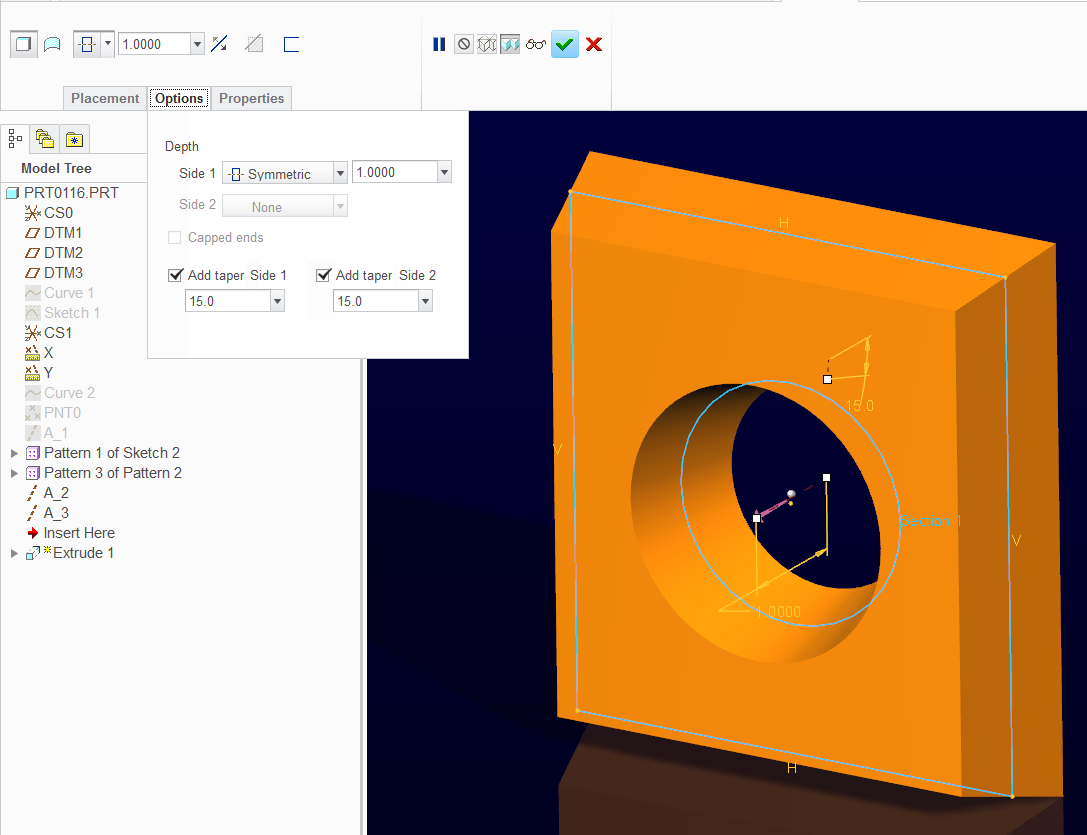
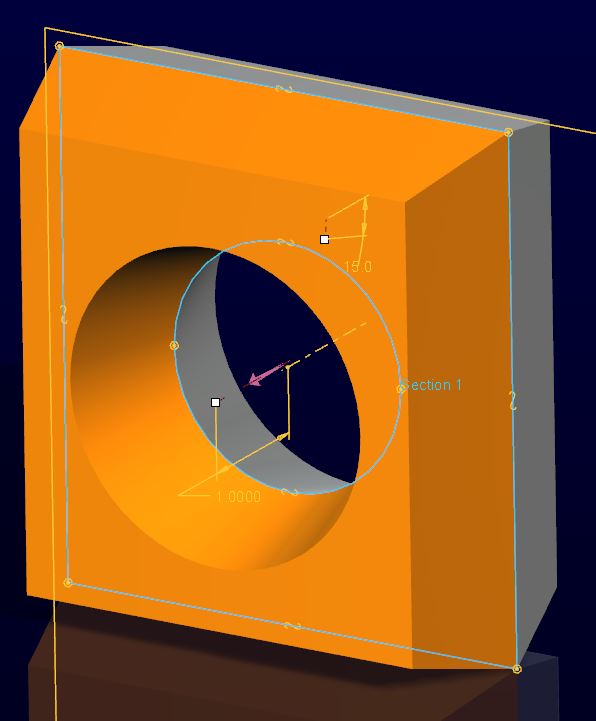
When you specify a taper of a symmetric Extrude, or any 2-sided extrude for that matter, you should be able to control each taper individually.

The dialog would look something like this:
bidirectional_taper.png

Where the desired results would look something like this:
biderectional_taper_result.JPG

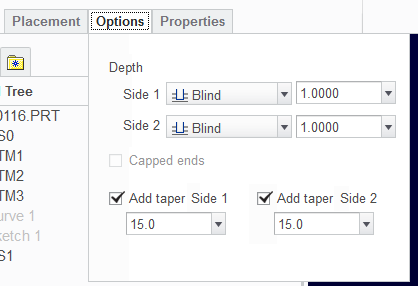
Similarly for the other 2-sided projection options:
bidirectional_taper_others.png

2 replies

May 1, 2013 11:55 PM UTC

I have to agree on this.  What's funky is that when you go to draft the other side and use a split, it automatically knows you have draft.  If you plug in 0 degrees for the surface with the original taper that you wanted, it will flatten it out.

Taper.jpg

Draft.jpg

Jun 14, 2018 6:32 PM UTC
Status changed to: Acknowledged