
Jul 30, 2012 8:43 AM UTC
Under Consideration

Symbols creation and editing new User interface.

Related products:Creo Parametric

An idea should be to modify and to uniform the User Interface specialy in Symbols Creation Windows.

In Creo 2.0 We still have an old interface:

It's really hard for beginner and for designer who come in these feature one time a year to understand or remember what they need to do in order to Create /Save a symbol:

Some features are not available after 33 versions...

Hatch / Fill with color in symbol are really bad and poor quality.

No diagnostic for 2D entities like sketch tool.

Variable text is \exemple\ not the easiest way again.

Color gradient are not available.

Image can't be insert inside the symbol.

Table can't be insert

Group with level are really really hard to manage with levels ... inclusive or independant ? What dosen't that meens for beginners of oftently users.

Why don't create an environnement like the sketch Tools ?

Save feature windows have an old school interface and you can't easily change the path where symbol are save...

I oftently need to create my new customer symbols in these environnement and it take me a long time...
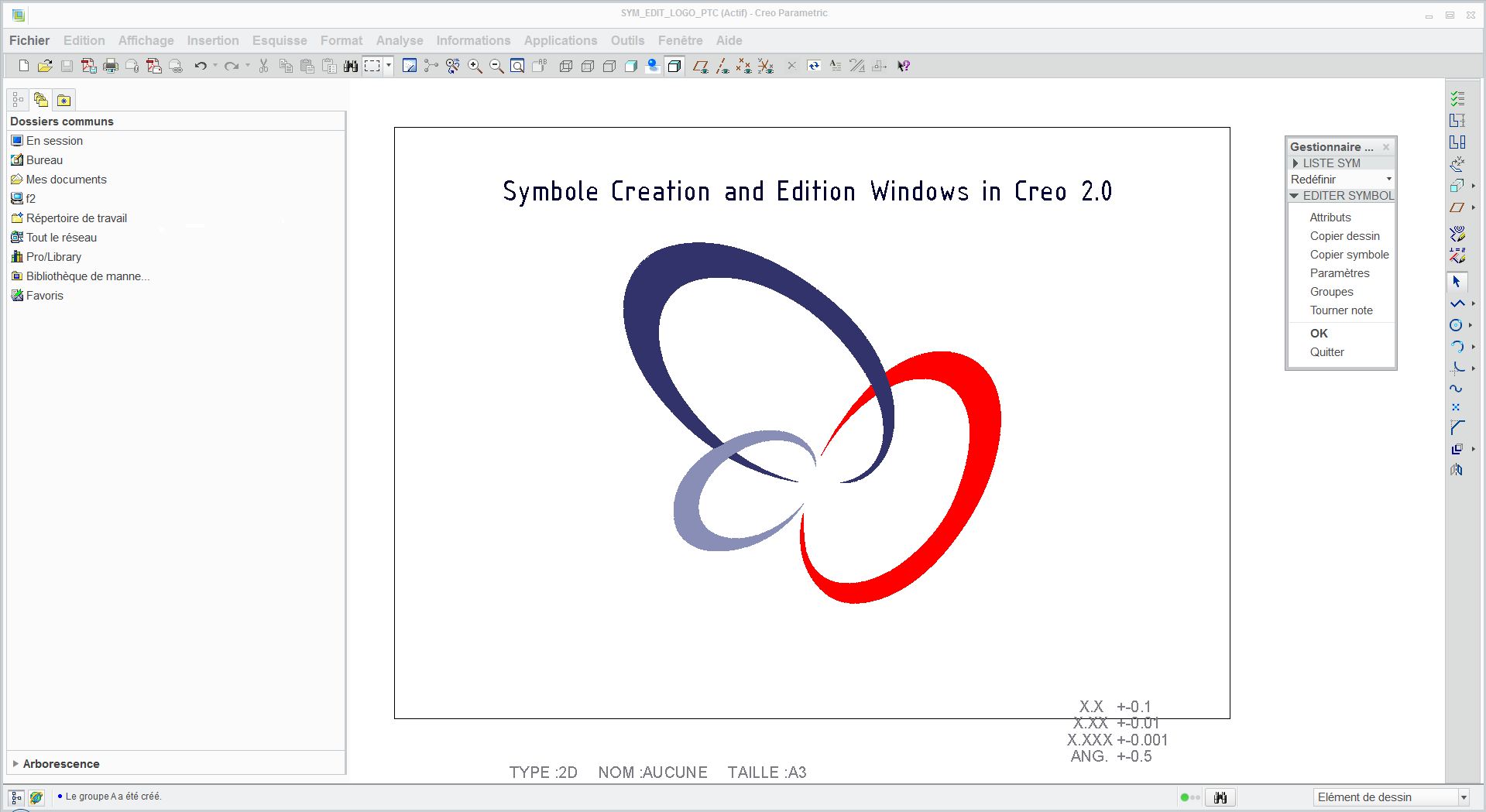
symbols.JPG

12 replies

Aug 6, 2012 11:17 AM UTC

This could be part of enhancing the drawing 'sketch' tools (abysmal) to work more like the modelling Sketcher (really good).

Jan 22, 2013 9:19 PM UTC

I cannot understand why the dwg sketch tools is so poor and the modeling sketcher is so good.  Does PTC benchmark themselves and take there own functionality from one area and put it in another?

Jan 22, 2013 9:26 PM UTC

As for symbol creation. we use symbols to create different variations of hydraulic symbols.  It is very useful to be able to have features that can turn on/off so combinations can be made by the user.

That being said, I agree that this tool needs to be updated.  To add to Fabien's list:

  • Rename symbol within Creo (instead of having to save outside of Creo rename file and import back in!)
  • Copy & reuse sub-groups across other groups.  For example if I created a complex top level group with sub groups and I want another top level group, I have to entirely recreate the group and every individual sub-group by not only creating the group name, but also re-selecting all the same entities. 
    SUGGESTION: Copy/paste, and/or visual drag/drop functionality would turn this from a nightmere to a breeze!
May 25, 2013 1:00 PM UTC
May 31, 2016 3:41 PM UTC

Highest ranking similar idea and is marked as under development (with a working hyperlink):

Jun 1, 2016 11:41 AM UTC

Toby Metcalf‌ - duplicate idea? See the link Lawrence is pointing towards.

Jun 1, 2016 12:56 PM UTC

This is being marked as a duplicate of Update define drawing symbol user interface

Thank you long nu xiao‌ Lawrence Scheeler‌ for finding the duplcate.

Thank you Dale Rosema‌ for bringing it to my attention.

Best,

Toby

Jun 1, 2016 3:01 PM UTC

I hope everyone who voted for this one makes sure they vote for the other one.

Toby Metcalf‌, when an idea gets marked as a duplicate, do the developers use the duplicate idea, and comments as input in the development of the new features?  I certainly wouldn't want this stuff to be lost.  Perhaps when marked as a duplicate, the parent idea that remains active should get the duplicates listed under the heading as references.  Rarely are duplicate ideas exact duplicates with nothing further to add, and this idea is no exception.

Jun 1, 2016 3:44 PM UTC

Thanks for the question Lawrence -

The parent does remain active and I think it is good practice for me (and the community) to link from one to the other.

Even if there is a duplicate, when ideas are exported in Excel, we can see all of them.

Best,

Toby

Jun 1, 2016 5:40 PM UTC

Do you think that a section could be added to each idea for this referencing purpose for cleaner interface and connections?  Otherwise it seems they might be lost in the comment shuffle.