
Suppress error message when ProCmdModelSave is not allowed for "Read Only Features" subcomponents
1. Describe the Problem
Through Creo customization via UIEventListener with ProCmdModelSave, we never want to save to disk subcomponent models with "Read Only Features". We can stop the save but we always get this Error:
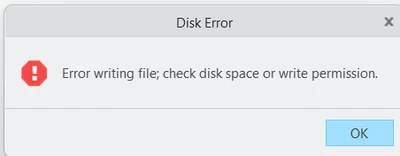
If the windowed model is not set to "Read Only Features", it will save to disk, but we don't want any of the subcomponents to be saved. When setting the "Read Only Features" on subcomponent for an assembly or drawing, the model's internal version number is incremented causing Creo to think that the model needs saving. We would like some way to just suppress the "Disk Error" message.
2. Are you using a workaround?
We just tell the user to ignore the message.
3. What is the use case for your organization?
"Read Only Featured" should not be saved to disk.
4. What impact does this problem currently have on your organization?
Worry by users that they are not correctly saving their Assemblies and Drawings to disk.