Nov 8, 2012 3:14 PM UTC
Under Consideration

Split the screen to four views

Related products:Creo Parametric

Enable to Split the screen to four views: top view, front view, right view andd isometric/trimetric/user defined view
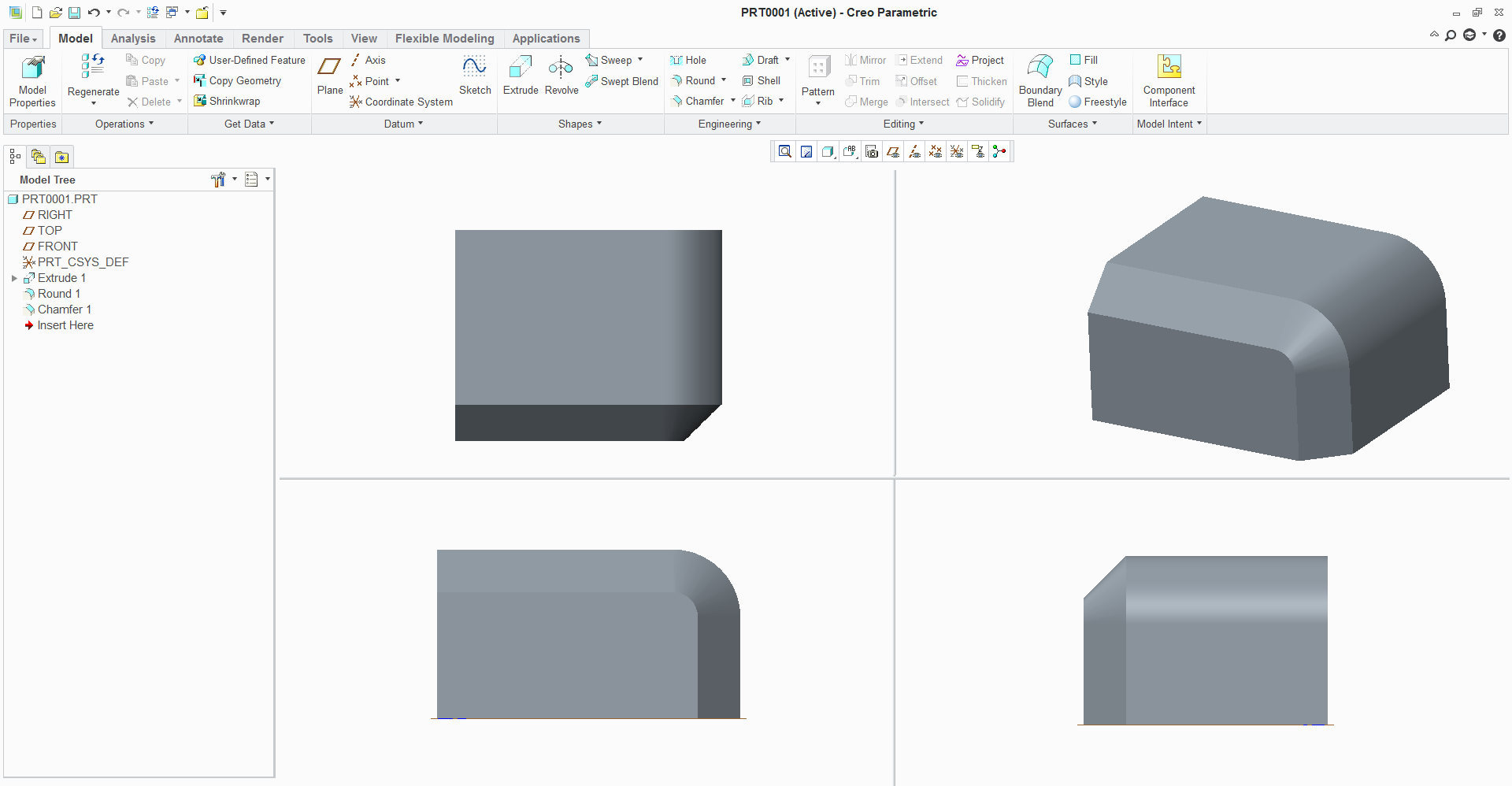

split.png

4 replies

Nov 11, 2012 10:46 AM UTC

The same as http://communities.ptc.com/ideas/1145

The workaround is enter style mode.

Nov 15, 2016 2:43 PM UTC

Try those 2 mapkeys

  1. mapkey spliton ~ Command `ProCmdWinSplit` 1;
  2. mapkey splitoff ~ Command `ProCmdWinSplit` 0;

FG

Jun 14, 2018 6:45 PM UTC
Status changed to: Acknowledged
Aug 18, 2020 12:51 PM UTC
Status changed to: Under Consideration

PTC has included the ability to expose 4-view capabilities as a standard capability in all areas of Creo on the roadmap for a future release.  Those that have used the Style feature have enjoyed this capability to provide an improved user experience.  This enhancement will require some thought to properly implement an improved experience, which will include the ability to control the view state and display styles in each view for each view pane, as well as, how we support the display of annotation and locking/unlocking view manipulations for all views.


Regards,

Mark Fischer

Sr. Director, CAD Product Management