
Sketcher dimension "center+tangent"
1. Describe your environment: What is your industry? What is your role in your organization? Describe your stakeholders.
Military industry
2. What version of Creo Parametric are you currently running?
6.0.6.0
3. Describe the problem you are trying to solve. Please include detailed documentation such as screenshots, images or video.
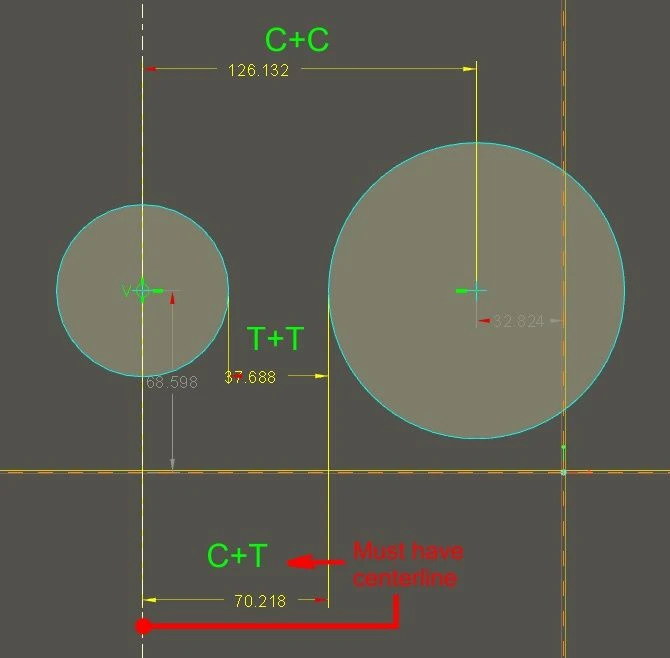
Sketcher works like this when having 2 circles and trying to create dimension:
C+C: circle 1 center+circle 2 center = dimension from center to center = logic
T+T: circle 1 tangent+circle 2 tangent = tangent dimension between circles = logic
C+T: circle 1 center+circle 2 tangent = instead of center to tangent Creo creates dim from center to center = nonsense. Only one supported solution is to use centerline but it is silly workaround. Dim C+T not working even in Creo 9.
4. What is the use case for your organization?
Confused Creo users
5. What business value would your suggestion represent for your organization?
Allowing to use Creo as intuitive SW