Jan 18, 2017 3:24 PM UTC
Archived

Search Tool cannot display results if search for feature by "default name"

Related products:Creo Parametric


Modify the Creo search tool to find functions by their “default name”.
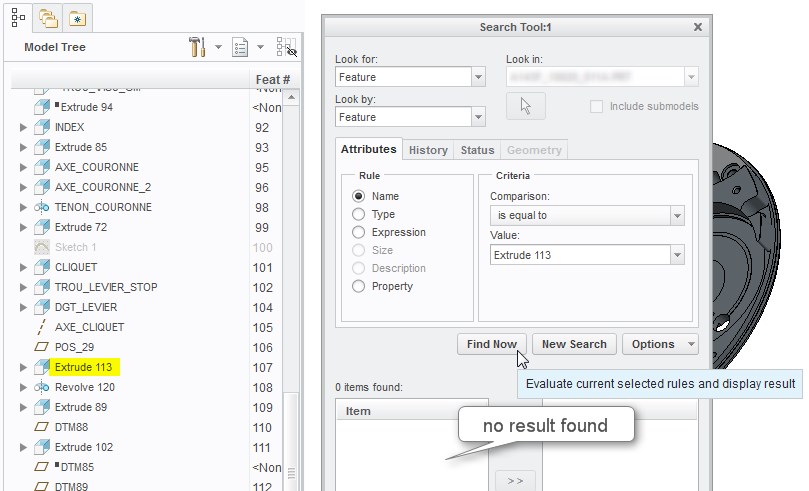
 

  Recherche_nom_fonction_1.jpg

2 replies

Jan 18, 2017 3:50 PM UTC

The root cause is that unless the user renames a feature, it does not actually have the FEATURE NAME attribute (just look at the information page of a feature before and after re-naming it - originally, you only have the FEATURE NUMBER and INTERNAL FEATURE ID).

Anyway, I'm still voting UP to drive on an effort to remove such inconsistencies.

PS. In fact, you couldn't even name a feature "Trou 32" - spaces aren't allowed!  And I'm not sure why you would search for such "default names" - are you looking to find the holes in the model?  Then the search should be: by Attribute: Type; Category = All; Value: Hole.

olivierlp
Community Manager
Jan 4, 2022 3:10 PM UTC
Status changed to: Archived

Hello,

We are archiving your idea as part of a general review. This action is based on the age of your idea and the total number of votes received, as per this announcement.

You can always post a new idea with all the details required in the form.

Thank you for your participation.

Olivier
