
Acknowledged
Place Symbol Drawing with Leader Line (Dashed Type)
1. Describe the Problem
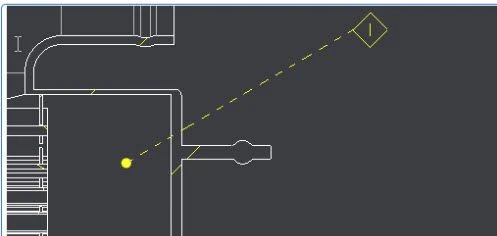
In the Creo Drawing Place, the MARKING Symbol pointing to "Hidden surface (according to standard)",
When pointing to the Hidden Surface in the drawing, the Leader Line must be in "Dashed Line"
2. Are you using a workaround?
Yes, place the symbol without a leader line, draw a line between the hidden surface and the symbol, and then change the line type to "Dashed." This is a time-consuming process.
3. What is the use case for your organization?
In the Drawing, the Hidden Surface must be shown with a Dashed Line Type.
4. What impact does this problem currently have on your organization?
More than 2000 Users.