
Aug 11, 2015 9:15 AM UTC
Archived

place a parameter as notice on a drawing format

Related products:Creo Parametric

Until now it is not possible to place a Parameter as a notice on a drawing Format which will be filled automatically.

It must be allways placed in a table. If it is placed in a table, the outerlines of the table can´t be made invisible.
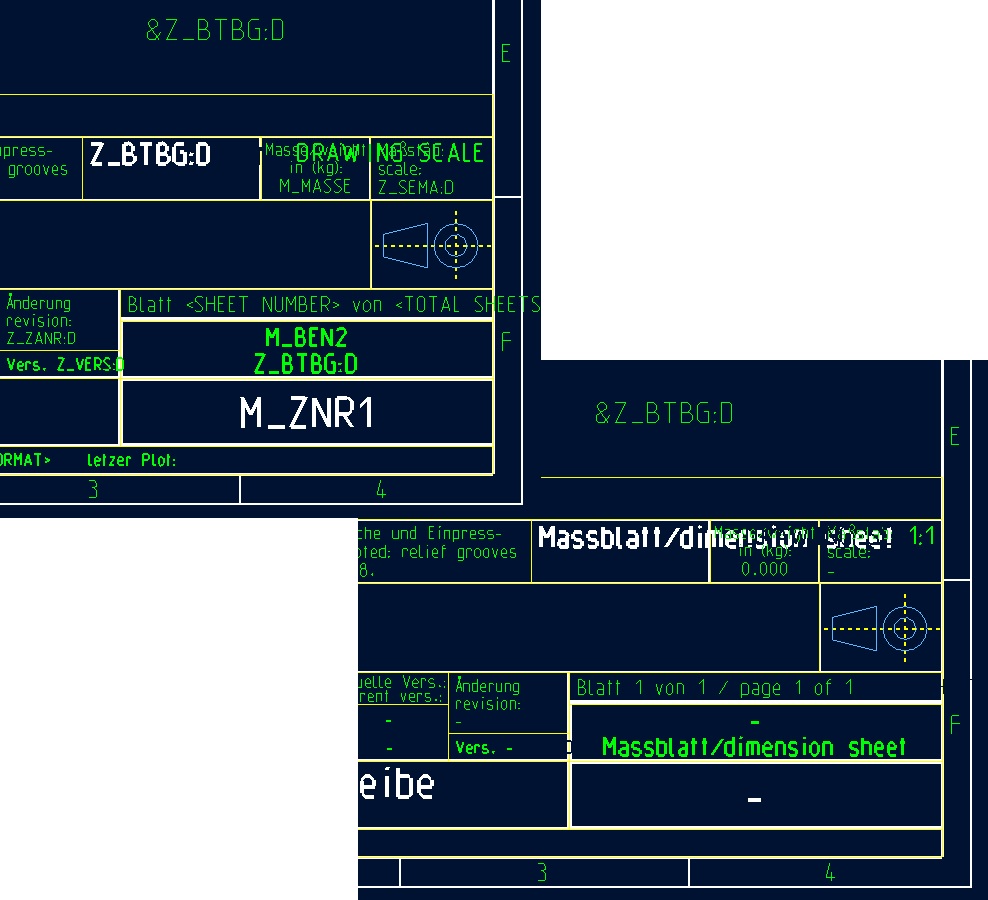
parameter_frm.jpg

2 replies

Aug 11, 2015 10:30 AM UTC

Christina,

you can use the following "dirty" trick:

  1. create table containing single cell
  2. put &myparameter into it
  3. set table height & width to 0.01 mm

Cell border will collapse into almost invisible dot.

Martin Hanak

olivierlp
Community Manager
Jan 4, 2022 4:30 PM UTC
Status changed to: Archived

Hello,

We are archiving your idea as part of a general review. This action is based on the age of your idea and the total number of votes received, as per this announcement.

You can always post a new idea with all the details required in the form.

Thank you for your participation.

Olivier