May 28, 2015 7:21 AM UTC
Archived

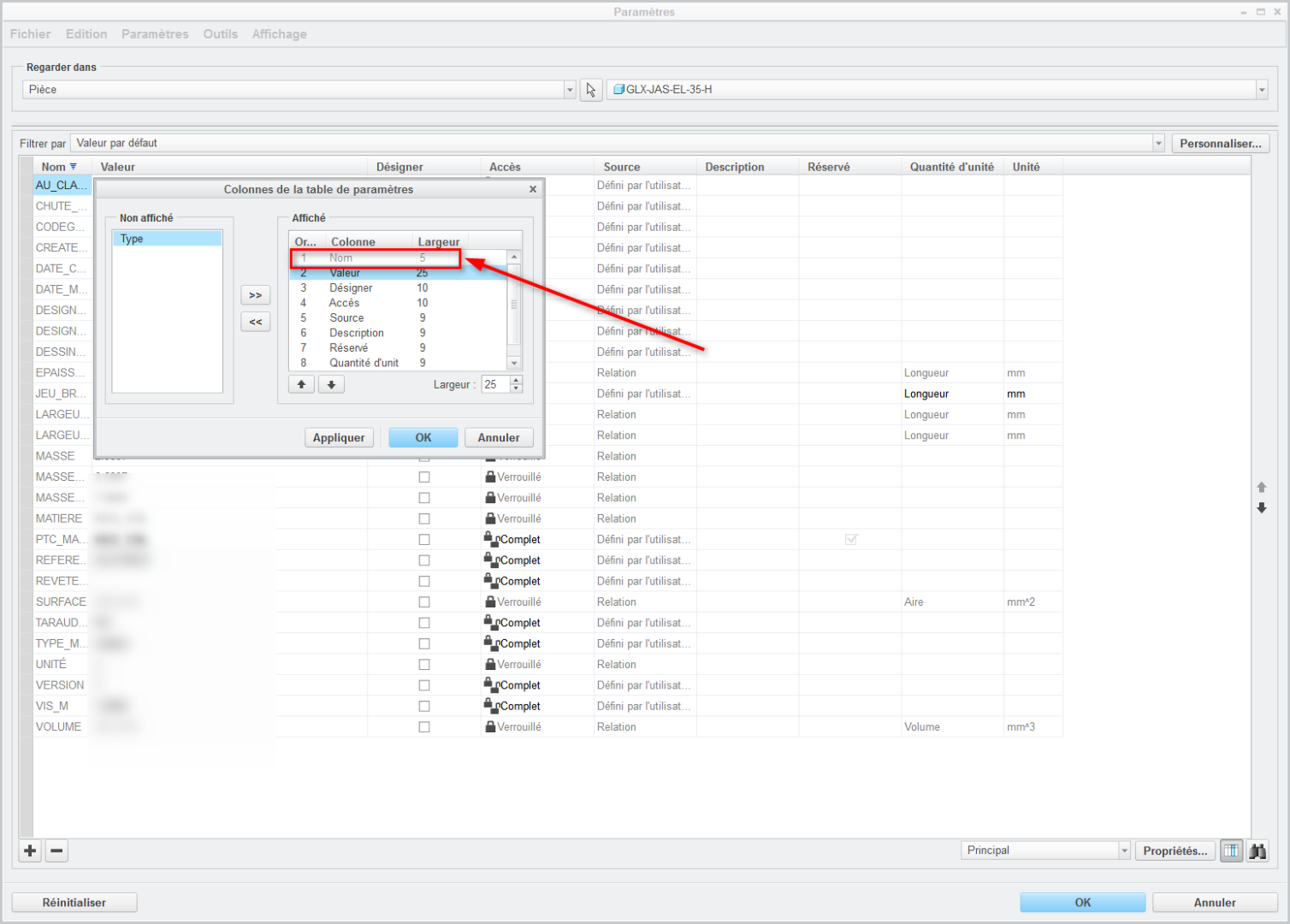
Parameter - adjust the width of the first column

Related products:Creo Parametric

hello

Have the ability to adjust the width of the first column with a default value
6 replies

May 28, 2015 3:53 PM UTC

This is a regression in functionality as Wildfire used to allow the first column to be changed in width. We had a mapkey that would change all column widths in WF, but had to redo it in Creo since the first column cannot be set by a number.

You can change the first column width by dragging with the mouse.

Jun 12, 2015 9:21 AM UTC

Hello

I try with an older version, and if it's a regression, I'll open a case

Have a nice day.

Jun 12, 2015 12:43 PM UTC

impossible in WF4

Jun 12, 2015 12:44 PM UTC

2015-06-12_14h39_53.jpg

Jun 16, 2015 2:10 PM UTC

You couldn't do this in Wildfire 5 either.  (At least not in M250.)

parameters.png

What you CAN do is save your preferred configuration and then load it with the config.pro option parameter_dialog_setup_file.

xml.PNG

olivierlp
Community Manager
Jan 4, 2022 4:43 PM UTC
Status changed to: Archived

Hello,

We are archiving your idea as part of a general review. This action is based on the age of your idea and the total number of votes received, as per this announcement.

You can always post a new idea with all the details required in the form.

Thank you for your participation.

Olivier
