Order of display
1. Describe the Problem
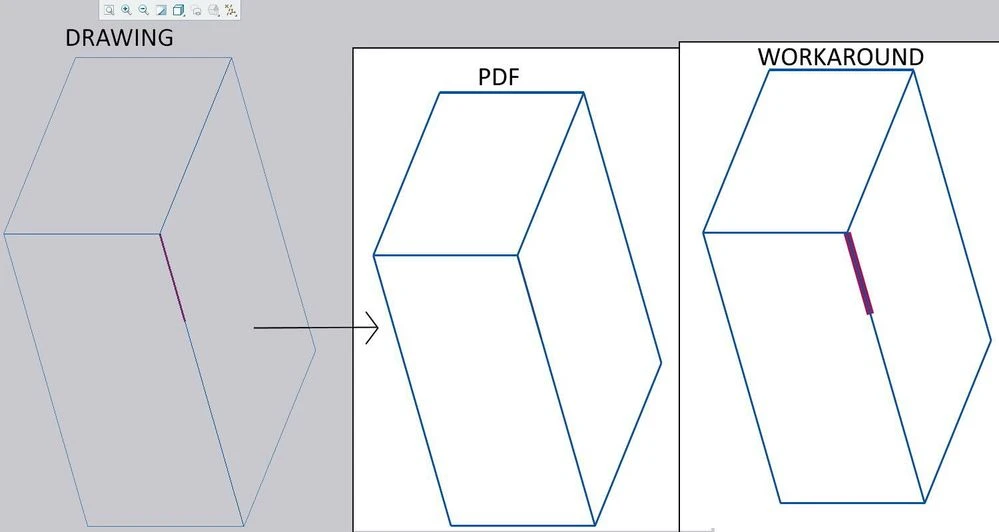
When sketching in 2D detailing, lines drawn over a view of 3D model are always below the lines of model.
This creates problems.
Please provide either:
- Creo drawing option to show sketched lines on top yes/no.
- "Bring to front" / "Send to back" feature in drawing mode.
2. Are you using a workaround?
Workaround is to make sketch line thicker and it will make it visible. But this is not satisfactory. Or we can edit PDF after export and there fix the visibility of certain lines.
3. What is the use case for your organization?
We highlight sometimes certain parts of view in drawings. Or have to draw something over it.
4. What impact does this problem currently have on your organization?
Unsatisfactory drawings and waste of time to fix them with workarounds.