Archived
Option to change the way hole/shaft tolerances are displayed
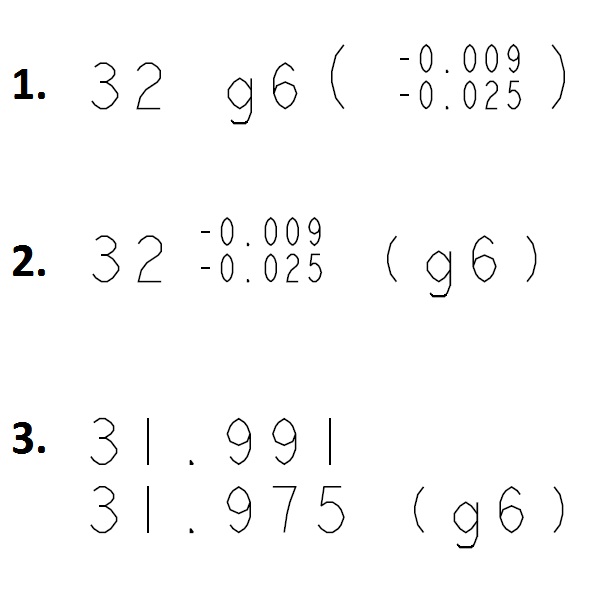
Currently, CREO only allows us to use the following style of hole/shaft tolerance, where the tolerance grade and class are displayed before the (reference) tolerance values, as in example 1 below. Can we have a setting that allows us to switch this round as in example 2? Ideally the tolerance grade and class are reference (for the machinist), but the absolute values are what we're specifying. Could this also be extended to showing limits, with reference tolerance grade/class (example 3)?