
Aug 21, 2024 7:16 PM UTC
Acknowledged

Mouse Navigation for Creo

Related products:Creo Parametric

1. Describe the Problem

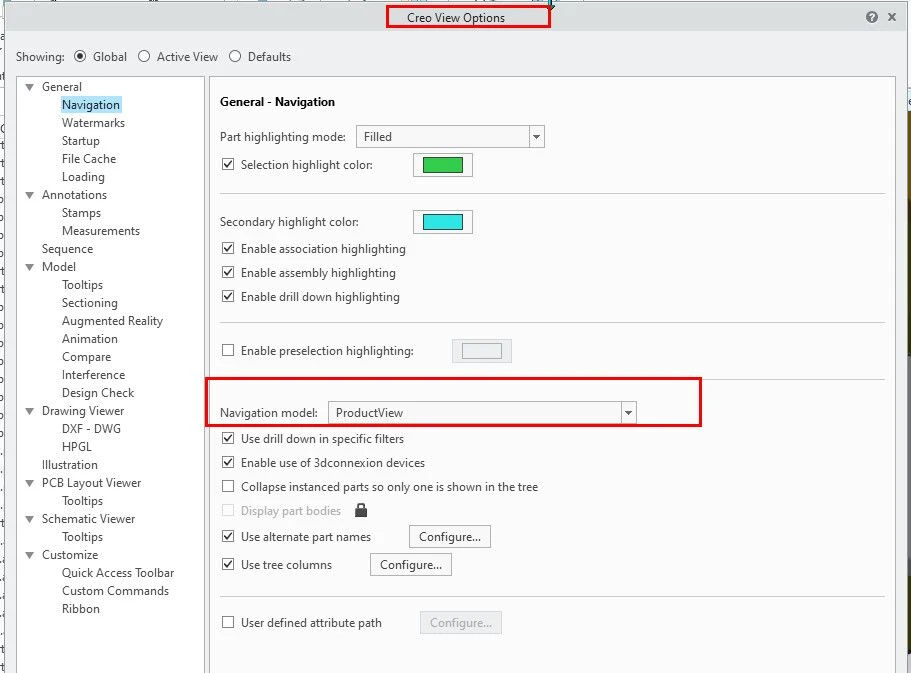
I have hand tremors so it is difficult to use the scroll button on the mouse for clicking and rotating the model. Creo View has options for mouse navigation under File -> Options -> General -> Navigation -> Navigation model. I have found ProductView selection meets my needs. Now in Creo I cannot find such options. I have searched Creo, the online help, and asked some Creo experts. Now I am here asking if there is such an option or if it can be added for a future update.


2. Are you using a workaround?
No

3. What is the use case for your organization?
Can configure for peoples need

4. What impact does this problem currently have on your organization?
For me it is difficult to use Creo
Catalina_0-1724320058559.jpeg


2 replies

Community Manager
Aug 22, 2024 9:48 AM UTC
Status changed to: Acknowledged

Thank you @KL_1288628 for your idea. Based on the information you provided, we are acknowledging it as the Community management team. This is not a commitment from the Product team. Other users may comment and vote your idea up.

Aug 22, 2024 10:55 AM UTC

@KL_1288628  One potential solution for you may be a mouse that have programable buttons so you can make any button do what you need it to do. 

At one time I used a program called x-mouse that "captured" mouse clicks and converted them (for a non-programable mouse). It looks like it is still available but my company settings don't allow me to install unapproved software so I can't verify it is the same anymore.