
ModelCHECK check for view-related layer status in drawings
1. Describe the Problem
There is currently no ModelCHECK check for determining view-related layer status in drawings.
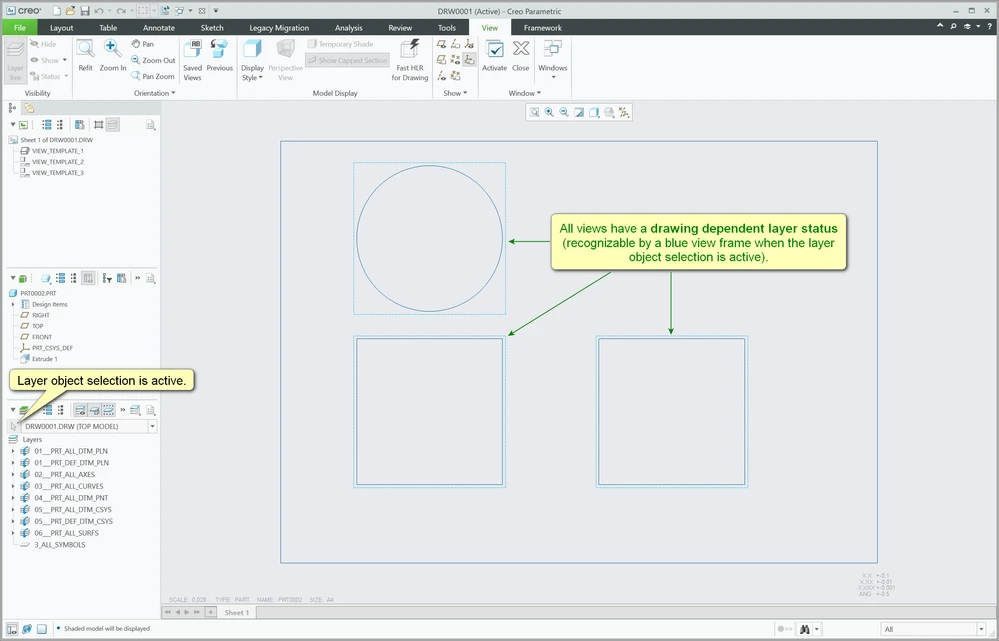 drawing dependent layer status
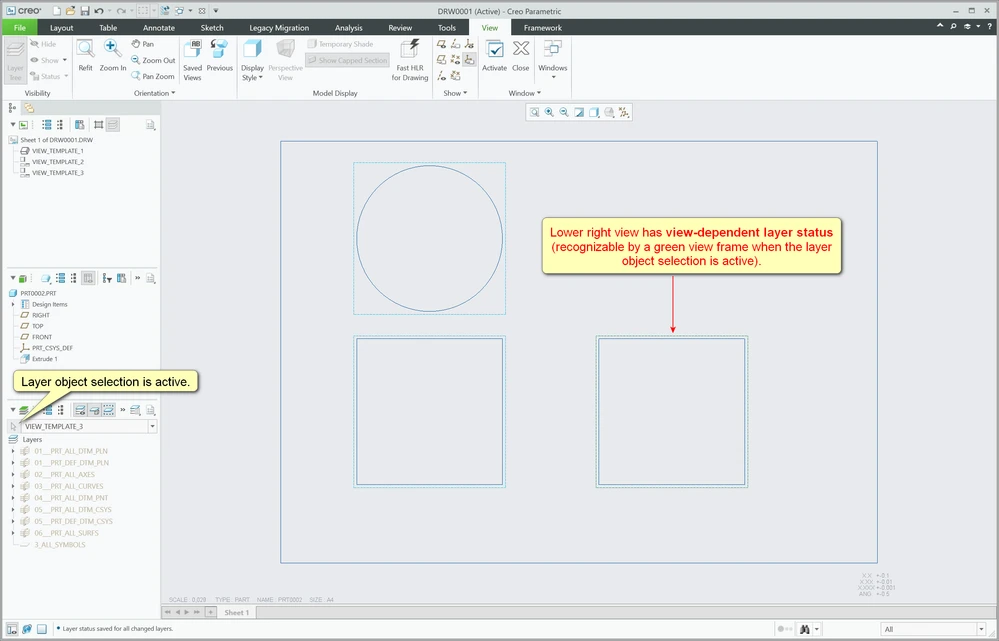 view-related layer status
2. Are you using a workaround?
Some users activate the layer object selection in drawings so that the colored view frames are displayed. The color of these frames can at least visually indicate whether any view has a view-related layer status set.
3. What is the use case for your organization?
In principle, it's only very rarely necessary to set a view-related layer status, but sometimes there is no way around it. If you aren't the creator of a drawing that you are currently editing, you often don't notice whether view-related layer status are available. And in my company there are several hundred Creo users, which means that it's very common to have to change drawings from other people or to use them as templates for new drawings. It would be very helpful if ModelCHECK could report view-related layer status.
4. What impact does this problem currently have on your organization?
It often happens that Creo users want to control the display of drawing elements by changing the drawing layer status. At first glance, this doesn't seem to work for individual views and they then contact the CAD administrator in IT. And even the CAD administrator sometimes doesn't realize that the cause of the display problem is simply a view-related layer status and creates a support case at PTC. So it sometimes takes a long time and costs time (and money) to find the cause of the problem, which is actually easy to fix.