
Let .ui settings overlap part/Asm/Shmtl Modes
.UI files are mode specific for the model tree settings.
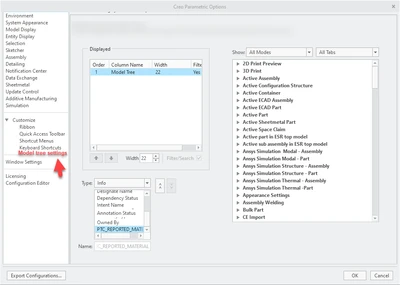
We'd like to have more control over what is stored in the .ui file and have it overlap f.e. part/sheetmetal Mode.
See the printscreen below for an example idea.
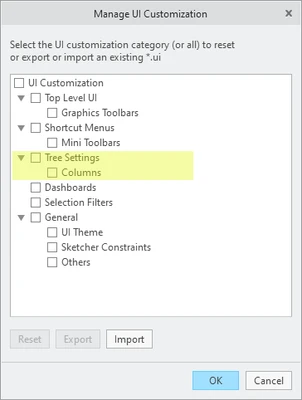
Alternatively,
perhaps it could be more specifically mentioned in this menu:
1. Describe your environment: What is your industry? What is your role in your organization? Describe your stakeholders.
Not industry specific
2. What version of Creo Parametric are you currently running?
Since Creo 6 up to 7/8/9
3. Describe the problem you are trying to solve. Please include detailed documentation such as screenshots, images or video.
The amount of .UI files to accommodate custom modeltree columns is doubled/tripled since the move from .cfg.
4. What is the use case for your organization?
To enable admins and users a more specific control over what's inside the .UI file for the modeltree.
5. What business value would your suggestion represent for your organization?
It would be a helpfull tool for Administrators, support and developers to get insight in the settings.