
Keep dimensions where placed on drawing view.
Currently in Creo 2.0 M080, When changing a drawing view Sectioned Area from Full to Full(Aligned) some of the shown dimensions move. Some shown dimensions can not be moved back to the desired locations. Ex: angular dims or sketched radii. SPR 2140835 Closed as Works to Spec. PTC used to preach model with design intent (create dimensions in model as you want them displayed on drawing). Now it seems they want you to do the work twice, once to model the part and again to create a drawing. I don't know about everyone else but it will be a very long time from now when my customers don't require drawings. Please vote this up. PTC the request is not limited to section views. Give users the flexiblity to place dimensions where desired as long as it is applicable or at least how it was modeled.
Dimensioned View as Full
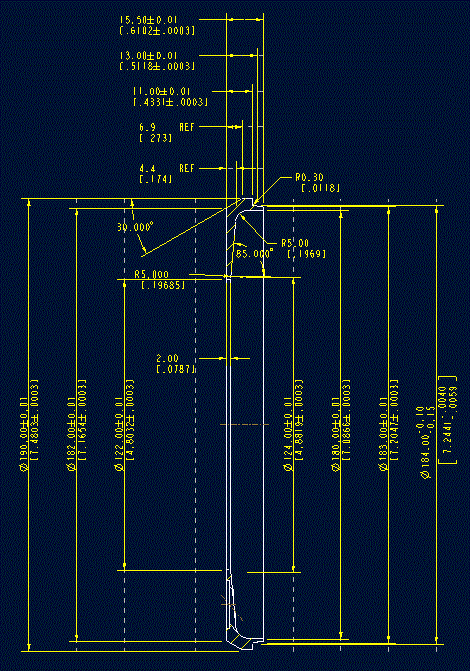
After Changing to Full(Aligned)

Thanks
Wayne Schrock
R&D/Leverage