
Feb 4, 2015 8:08 PM UTC
Archived

Instance Pull-down for Family Table Components

Related products:Creo Parametric

When a component with instances is added to an assemblly family table, enable a pull-down menu of the component instances (similar to the Y/N/* pulldown)

Currently the user is required to manually enter the full name of the instance to be substituted.  A pull-down of available instance names would make this much easier and eliminate mis-typed instance names
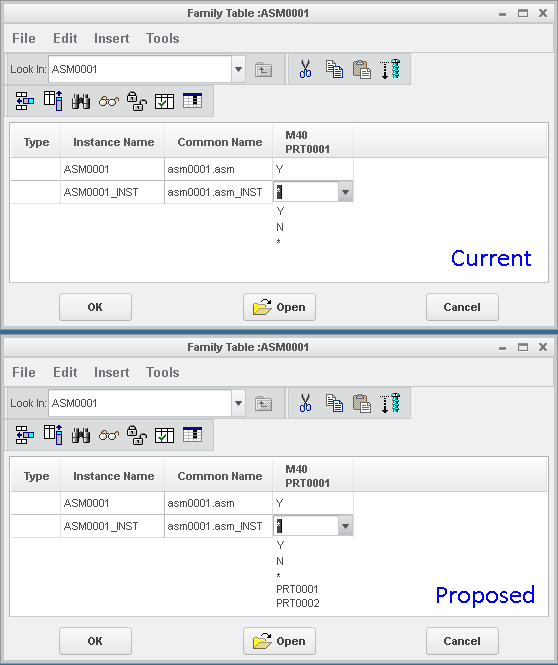
Family_table.png

3 replies

Feb 4, 2015 11:24 PM UTC

Hi Joseph,

You don't need to type in the name of the instance.  If you select Tools, Replace Using, Family Table, the you get another dialog box showing all the family table members and you can select the one you want.

Clipboard01a.jpg

This is the same dialog box that comes up when you Replace a component by Family Table member, so you can Right click to show the table or even preview the instance as shown:

Clipboard02.jpg

Feb 5, 2015 3:05 PM UTC

I was not aware of this functionality.

Not quite a easy as what I proposed, but certainly a workable solution.

Thanks!

olivierlp
Community Manager
Jan 4, 2022 5:01 PM UTC
Status changed to: Archived

Hello,

We are archiving your idea as part of a general review. This action is based on the age of your idea and the total number of votes received, as per this announcement.

You can always post a new idea with all the details required in the form.

Thank you for your participation.

Olivier