
Archived
Increasing gap between the text and the dimension line
Could you add an additional enhancement in the drawing to increase the gap between the text and the dimension line when text is above.
Currently the option to increase the gap involves:
Going to File-> Prepare-> Drawing Properties-> Click on change in the Detail Options
In there if you type dim_text_gap and you can change the value to want gap you want.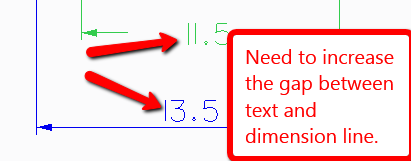
The above option only increases the gap between the text and the dimension line when the text is in the middle of the dimension line and not when it is above.