Sep 25, 2020 6:15 PM UTC
Archived

Improving Sketch usability when dealing with lots of references

Related products:Creo Parametric

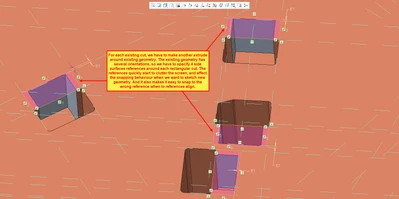
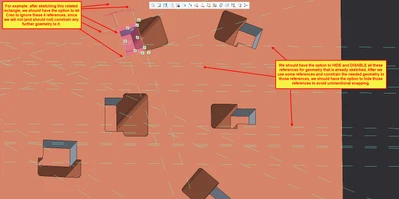
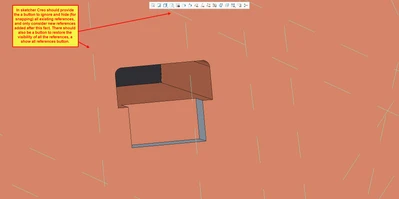
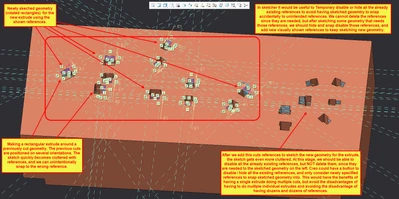
To improve sketch usability when having to deal with multplie references, I suggest PTC to add two additional buttons in sketch mode.


1. Hide existing references

2. Show all references


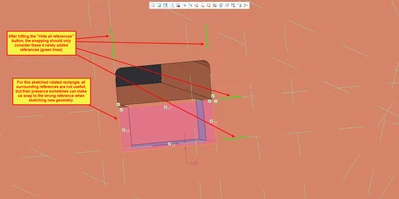
Hiding the existing references, would allow to easily deal with more complex sketches. Hiding the references, would not delete them (obviously), but would simply declutter the screen, and most importantly, let the solver ignore those references when snapping to references. After we use some references, snapping or constraining the geometry to it, the solver should have the option to ignore those references when sketching new geometry, or have a smaller data set of references to try to snap geometry to.


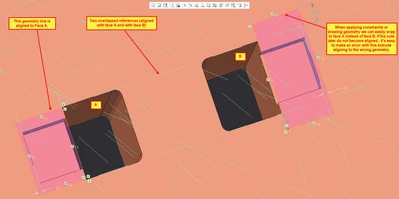
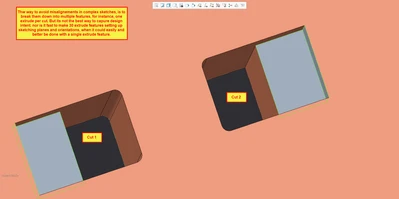
This would also have the benefit of avoiding to acidently  snapping to the wrong geometry, as shown in image 6 and 7.
 

Sketch_Improvement_01.png

Sketch_Improvement_02.png

Sketch_Improvement_03.png

Sketch_Improvement_04.png

Sketch_Improvement_05.png

Sketch_Improvement_06.png

Sketch_Improvement_07.png

3 replies

Sep 25, 2020 6:49 PM UTC

A few tricks to prevent errors in constraints on busy sketches:

  • Hold shift to prevent constraints to existing references then carefully create constraints needed
  • While creating entities, when a constraint appears, you can RMB to lock it on, lock it off and reset it.
  • Use edges, not surfaces, for references (only as long as edge) to prevent the spaghettis effect of the infinite reference lines.
Sep 25, 2020 6:59 PM UTC


Hi kdirth.


Thank you for the tips, I knew you tried to help. Nevertheless, I have to add:


1. I do know (and seldom used) the Shift key to prevent snapping to an existing reference. That partially works, but is not enough. If there are dozens of references, we can ignore snapping to one specific reference, only to have Creo try to snap to another uneeded reference. We would have to keep disabling lots of references one at a time, for each line we would want to add. It's time consuming. It was a good ideia, but that is not enough. My suggestion works like that, but allows to sisable all existing references at a time, so that we can add additional references to sketch new geometry.


2. Locking a constraint is usfull, if we can quickly lock to a specific reference. If there are lots of references, then we would waste too much time, before snapping to the intended reference, for us to be able to lock it.


3. It's good practice to snap to surfaces instead of edges, since they are a more stable geometry. If an edge is chanfered or rounded, we avoid having to redo lots of sketches. It's the first time that I see as a suggestion to prefer edges as references, instead of perpindeicular surfaces.


My idea / suggestion dows not invalidate any of those workflows, for people thar prefer them, or do not need to deal with more complex sketches.

I think this suggestion that I made is very easy to implement, from a programming point of view, and it's indeed very useful in lots of different  scenarios.

AndrewK
Community Manager
Oct 2, 2024 2:02 PM UTC
Status changed to: Archived

Hello,

We are archiving your idea as part of a general review. This action is based on the age of your idea and the total number of votes received, as per this announcement.

You can always post a new idea with all the details required in the form.

Thank you for your participation.